

Automation is a priority for accounting firms right now, but not the piecemeal kind most firms already tried. The move that pays off is picking one high-value, repeatable bottleneck (invoice intake and matching, bank reconciliation, or close-task orchestration) and building orchestration around it before you touch anything else. Accounting workflow automation only earns its cost when it's structured, measured, and controlled from day one, not bolted on task by task.
That means a phased program: assess the process, pilot with clear success metrics, then scale once the exceptions are handled and the audit trail holds up. Accounting judgment stays visible at every stage. You're not removing the reviewer, you're removing the busywork that keeps the reviewer from reviewing.
Before you pick a tool or a vendor, capture three numbers so you can prove the win later:
- Hours spent per task, measured before any change
- Unmatched or exception transactions per cycle
- Close days, from period-end to final reporting
Start there. Everything else, including which software you buy, follows from what those three numbers tell you.
Key Takeaways
Automation succeeds when firms pilot one measurable bottleneck with orchestration built in, then scale only after controls and audit trails prove reliable.
| Point | Details |
|---|---|
| Start with one bottleneck | Pilot AP matching, reconciliation, or close orchestration, whichever has the highest volume and manual hours. |
| Measure before you automate | Track close days, unmatched transactions, and hours per task as your baseline. |
| Choose IPA over isolated RPA | Intelligent process automation supports judgment-heavy tasks like anomaly detection that basic RPA cannot handle. |
| Keep exceptions owned and logged | Assign a named owner per workflow and require full audit trails for every automated decision. |
| Scale with Byram Advisory | Peregrine integrates with QuickBooks to automate reconciliation and close tasks while preserving real-time auditability. |
Table of Contents
- What Does Accounting Workflow Automation Actually Deliver?
- How Do You Roll Out Automation Without Breaking Controls?
- Which Accounting Processes Should You Automate First?
- Why Does Orchestration Matter More Than Basic RPA?
- What Controls Keep Automated Workflows Auditable?
- How Should You Structure Your Automation Tool Stack?
- Who Owns Automation Once It's Live?
- The Real Lesson Firms Keep Missing About Automation
- Getting From Pilot to Scale With Byram Advisory
- Sources
What Does Accounting Workflow Automation Actually Deliver?
Firms that automate well typically see four things move: fewer hours on repetitive tasks, fewer errors reaching a partner's desk, a shorter close, and more time for advisory work that actually bills well. The order matters. Time savings show up first, error reduction follows once matching rules stabilize, and the close-day improvement is usually the last metric to move because it depends on every upstream process working cleanly.
Consider the baseline most firms are starting from. An IMA survey of 751 finance professionals found many teams still lean heavily on spreadsheets, the average close runs about seven days, and only around 20% of respondents say they're highly satisfied with their current close process. If your firm looks anything like that, you have real room to improve, and a number to beat.
Pro Tip: Don't set your first automation goal as "eliminate manual work." Set it as "cut close time by two days." A specific target gives your pilot a finish line and gives leadership something concrete to approve budget against.
ROI on accounting process automation comes from a few predictable levers:
- Reallocated staff hours (the FTE-hours that used to go into manual matching now go into client advisory)
- Faster close cycles, which shorten the gap between period-end and decision-ready financials
- Fewer reconciling items carried forward month to month
- Stronger audit readiness, since automated workflows tend to log evidence as they go rather than after the fact
Track these before-and-after pairs to make the case to firm leadership: average close days, hours logged per close task, count of unmatched transactions per cycle, and the ratio of exceptions requiring senior review versus items that clear automatically. Those four numbers, tracked consistently for two or three cycles, tell you more about whether automation worked than any vendor's feature sheet.
How Do You Roll Out Automation Without Breaking Controls?
The firms that get burned by automation almost always skipped a phase. They bought software, turned it on, and hoped the exceptions would sort themselves out. A phased rollout protects you from that.
-
Assess. Map the process end to end, including every handoff and every place a human currently makes a judgment call. Measure volume (how many invoices, reconciling items, or journal entries per month) and flag where control risk is highest, meaning where an error would be expensive or where segregation of duties currently depends on one person remembering to check something. This is also where you evaluate tooling fit, since a process running through three disconnected systems needs orchestration, not just a point solution.
-
Pilot. Choose one workflow, set success criteria before you start (not after), and instrument the metrics from the first day of the pilot rather than retrofitting measurement later. Deliberately test exception handling. Feed the pilot a messy invoice, a duplicate payment, a transaction that doesn't match any existing rule, and confirm the system routes it to a human rather than posting it blind. Confirm the audit trail captures who approved what and when.
-
Scale. Once the pilot clears its success bar, standardize the data mappings so the same logic applies across entities or departments, extend orchestration to the next connected process, and formalize governance: who owns the workflow, who reviews exceptions, and how often the automation's rules get revisited.
Pro Tip: Run your pilot for at least one full close cycle, not two weeks. A lot of exception patterns only show up under real month-end volume, and a short pilot will make the system look more finished than it is.
Skipping straight to scale is the single most common failure pattern in accounting automation training and rollout guidance. It looks efficient. It rarely is.
Which Accounting Processes Should You Automate First?
Not every process deserves the same attention, and prioritizing the wrong one wastes a pilot cycle you can't easily redo. Score each candidate process on three factors: transaction volume, manual hours currently spent, and control risk if something goes wrong. High volume, high manual hours, and moderate (not extreme) control risk is the sweet spot for a first pilot.
High priority (start here):
- Accounts payable intake and invoice matching, since it's high volume, rules-based, and the error cost of a mismatched line item is usually recoverable
- Bank and account reconciliations, which are repetitive, well-defined, and produce a clean before/after metric (unmatched transactions)
- Recurring journal entries, where the logic rarely changes month to month
- Close-task orchestration, meaning the checklist and handoffs that move a close from day one to sign-off
Medium priority:
- Accounts receivable follow-ups and collections reminders
- General invoice processing beyond AP matching
- Document capture using optical character recognition or intelligent document processing (IDP) to pull data off receipts and statements
- Payroll steps that are genuinely repetitive rather than judgment-heavy
Lower priority, at least for now:
- Complex tax filing steps that involve interpretation of a specific client's facts
- Anything where the "right answer" depends on professional judgment more than a rule
The reasoning behind this order isn't arbitrary. TechnologyAdvice's breakdown of accounting automation software frames the whole category as a stack of layers, and the advice that holds up is to automate the layer where your firm's actual bottleneck sits rather than chasing whichever product has the longest feature list. If your bottleneck is reconciliation, a beautifully automated AP layer won't fix your close timeline. Measure first, then automate the layer that's actually slow.
Why Does Orchestration Matter More Than Basic RPA?
Robotic Process Automation, or RPA, does exactly what you tell it to do and nothing more. It clicks the same buttons in the same order every time, which is useful for a narrow, unchanging task but brittle the moment a vendor changes an invoice format or a client sends a statement in a new layout.
Intelligent Process Automation (IPA) is a different tier. IPA combines RPA with AI and machine learning to handle the judgment-adjacent parts of accounting work, things like anomaly detection, variance analysis, and suggesting how a transaction should probably be coded, according to the Journal of Accountancy's overview of accounting automation. Where RPA follows a script, IPA learns from patterns and flags what looks unusual.
Orchestration is what ties IPA tools together across systems instead of leaving each one to automate its own island. A well-orchestrated close, for example, coordinates AP matching, reconciliation status, and journal posting into one workflow with centralized exception management, so a controller sees every stuck item in one place instead of logging into four systems to find out what's blocking sign-off.
Agentic features are the newest layer on top of that. Modern cloud platforms now advertise agents that flag unusual journal entries in real time and automate AP coding and matching, illustrated by Sage Intacct's agent-based accounting features. Confidence scoring is the mechanism that makes this trustworthy: a transaction the system is highly confident about posts automatically with a logged evidence trail, a mid-confidence item routes to a senior reviewer, and anything low-confidence goes straight back to the preparer.

That confidence-band approach matters because it's also where audit value shows up. IPA can select audit samples, pull supporting documentation, and run preliminary validation checks automatically, which the Journal of Accountancy points to as a concrete way orchestration improves audit coverage without adding headcount. The guardrail that makes this safe isn't optional: every automated decision needs a traceable evidence link, and firms serious about this should be asking vendors about SOC 2 controls and how exceptions get logged, not just how fast the demo runs.
What Controls Keep Automated Workflows Auditable?
Automation that isn't controlled is just faster risk. Four things need to be in place before you scale anything past a pilot.
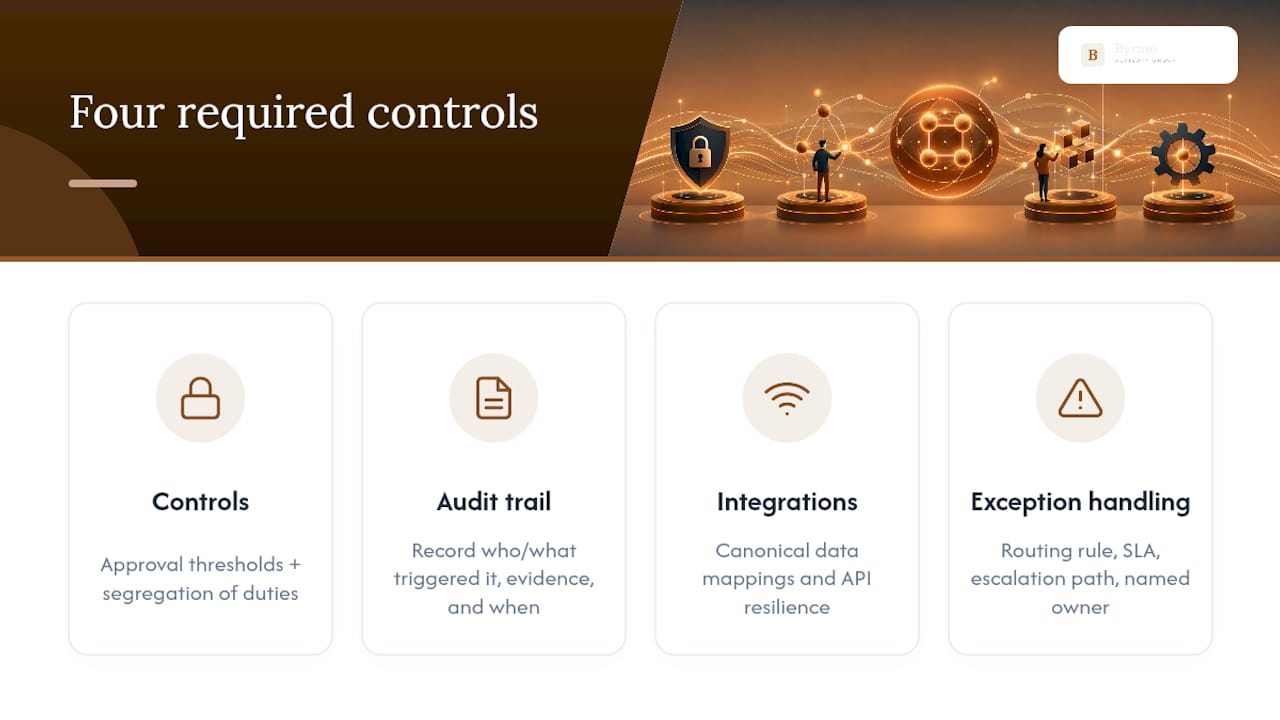
Controls. Set explicit approval thresholds so dollar amounts above a certain level always require human sign-off, and keep segregation of duties intact even when a machine does the initial work. Every automated action needs a full audit trail: who or what triggered it, what evidence supports it, and when it happened.
Integrations. Canonical data mappings, meaning one consistent definition of each field across every connected system, prevent the reconciliation loop from breaking every time a system update changes a field name. Build for API resilience, since a brittle integration that fails silently is worse than no automation at all.
Exception handling. Every workflow needs a routing rule, a service-level agreement for resolution time, an escalation path, and a named owner. If nobody owns the exception queue, it fills up and nobody notices until close day.
Pro Tip: Assign exception ownership by workflow, not by person. People change roles; workflows don't. Documenting "the AP matching exception queue belongs to whoever holds the AP lead role" survives staff turnover in a way that naming an individual doesn't.
Baseline and monitor these metrics on a rolling basis: close days, unmatched transaction counts, exception rates as a percentage of total volume, and average time-to-resolution for flagged items. Those four numbers are your early warning system if automation starts drifting.
How Should You Structure Your Automation Tool Stack?
Think of accounting workflow automation as layers rather than a single purchase. Data capture (OCR and intelligent document processing) sits at the bottom, pulling structured data from receipts and statements. Transaction processing and matching sits above that, handling AP coding and reconciliation. Orchestration and workflow sit on top of both, coordinating handoffs and deadlines. Analytics and agentic features sit at the peak, surfacing anomalies and suggesting next actions.
The hardest decision most firms face is whether to replace their system of record (their core accounting platform, often something like QuickBooks Online Advanced) or add automation as an adjunct layer on top of it. Replacing the system of record is a bigger lift with more disruption but can eliminate integration friction long-term. Adding a layer on top, such as a dedicated reconciliation or close-management product, gets you moving faster with less risk to existing controls.
When evaluating any tool at any layer, ask for:
- A live demo of exception handling, not just the happy-path workflow
- Concrete audit evidence output, meaning what a reviewer actually sees when they click into a transaction
- Clear integration points with your existing system of record
- An honest estimate of implementation effort, including data migration and staff retraining time
Skip the vendor comparison spreadsheets built around feature counts. The TechnologyAdvice guidance on choosing accounting automation software is blunt about this: match the tool to your specific bottleneck layer, not to whichever product claims to do the most things.
Who Owns Automation Once It's Live?
Every automated workflow needs a named owner and a named reviewer, and those two roles shouldn't default to the same person. The owner is accountable for the workflow's rules staying current; the reviewer signs off on exceptions.
- Assign ownership explicitly. Decide upfront who retrains the matching rules when a vendor changes invoice formats, and put it in writing.
- Train by role, not as a single session. Controllers need to understand exception patterns, senior reviewers need to know approval thresholds, and operational staff need the day-to-day mechanics.
- Build a review cadence. Weekly during the pilot, monthly once stable, checking exception rates and tuning rules that keep misfiring.
- Reframe the job. Staff who used to manually match transactions now spend that time analyzing why exceptions happen and advising clients, which is a better use of a trained accountant's time by any measure.
Pro Tip: Frame the retraining conversation around "you'll review the interesting 10%" instead of "the system will do your job." That framing is both more accurate and far less likely to trigger quiet resistance from staff.
The Real Lesson Firms Keep Missing About Automation
Most advice on this topic treats RPA and IPA as interchangeable, and that's the mistake worth calling out directly. Bolting a bot onto one task without orchestration gets you a faster version of a process that was already too narrow to matter much. The firms getting real close-time reductions are the ones treating automation as connected infrastructure, not a collection of disconnected scripts.
The conventional advice also underrates governance. Everyone talks about time saved; almost nobody talks about who owns the exception queue six months after the pilot ends. That gap is where automation programs quietly rot, not at the technology layer.
If you're prioritizing, start with measurement, not software. Know your close days, your unmatched transaction count, and your manual hours before you evaluate a single tool. Then pilot the highest-value bottleneck with orchestration in mind from day one, because retrofitting orchestration onto five separate point solutions later is far more expensive than building toward it from the start.
— Owen
Getting From Pilot to Scale With Byram Advisory
You don't have to build orchestration logic from scratch or guess at exception-handling rules. Byram Advisory Group specializes in exactly the gap most firms hit after a successful pilot: turning a proof-of-concept into a controlled, scaled workflow without losing the audit trail along the way.
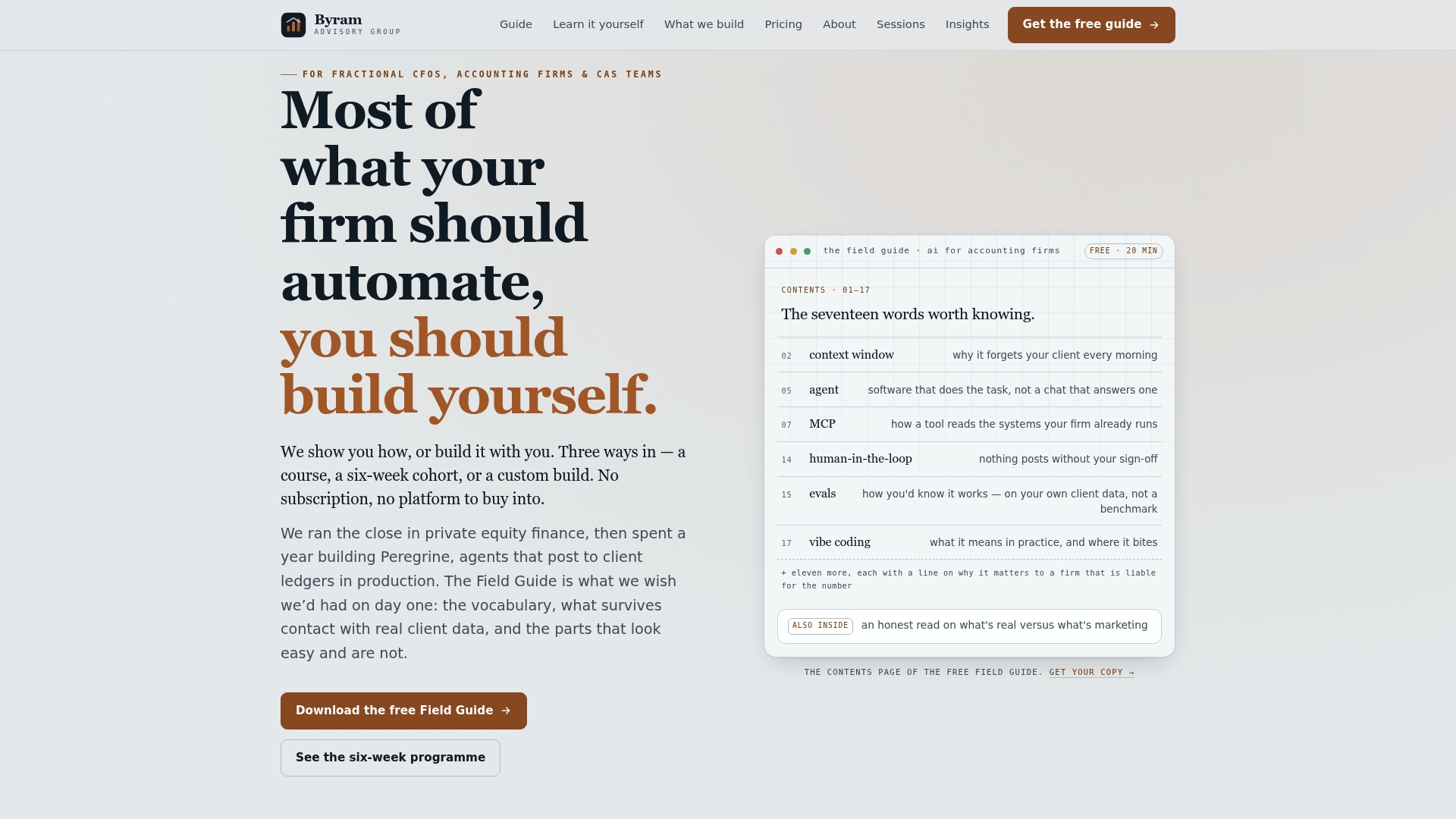
Byram Advisory's platform, Peregrine, integrates directly with QuickBooks and other systems of record, automating repetitive tasks like reconciliation matching and close-task routing while keeping a real-time, auditable evidence trail behind every automated decision. That combination, accuracy plus visibility, is what solves the data-integrity problem that derails most DIY automation attempts. Firms get real-time cash flow monitoring and detailed reporting built for external scrutiny, not just internal convenience.
If you'd rather build the capability in-house first, start with the free Field Guide to AI for Accounting Firms, which walks through IPA and agentic workflow principles step by step. Firms ready to move faster can enroll in the DIY AI Implementation Course for a guided path, or reach out to Byram Advisory Group directly to scope a custom workflow build.
Sources
- Accounting automation’s intelligent future — Journal of Accountancy
- Process Automation in Accounting and Finance — IMA
- 7 Best Accounting Automation Software for 2026 — TechnologyAdvice
- Sage Intacct: AI-Powered Accounting & Financial Management Software | Sage US