

Automated financial reporting means software pulls data from your general ledger, ERP, and bank feeds, validates it against rules you set, and assembles P&L statements, balance sheets, and board packs without someone rebuilding spreadsheets every month. The immediate payoff is a shorter close, a live audit trail, and a finance team that spends its time reviewing numbers instead of chasing them.
The technology handles four jobs: ingesting data from source systems, checking it against validation rules, consolidating entities, and generating the actual report. Financial reporting automation done right does not just refresh a dashboard. It builds the same evidence trail an auditor expects to see, which is the part most teams underestimate until they're staring down a due-diligence request.
Before you buy or build anything, run a three-question readiness check:
- Which report, if it took half the time to produce, would free up the most senior hours?
- Does that report's underlying data live in a system with an API, or will you need a workaround for a legacy platform?
- Who owns data quality for that report today, and would they own the automated version?
Pro Tip: Don't try to automate your whole close on day one. Pick one recurring report, run it in parallel with your manual process for a full cycle, and only retire the manual version once the numbers match twice in a row.
Key Takeaways
Automated financial reporting works when data validation, audit trails, and a scoped pilot come before full-scale rollout, not after.
| Point | Details |
|---|---|
| Start with one report | Pilot a single high-volume report pack for 6 to 8 weeks before expanding scope. |
| Track four KPIs | Measure days to close, manual touchpoints, audit exceptions, and time-to-board-pack. |
| Build audit trails first | Auditors expect change logs, maker-checker workflows, and clear data lineage. |
| Plan for legacy ERPs | Systems without modern APIs often need agentic automation and active monitoring. |
| Byram Advisory's Peregrine | Connects directly with QuickBooks to automate validation and cash monitoring for fractional CFOs and firms. |
Where to Read More on Automated Reporting
- IBM's overview of financial reporting automation explains the scope and controls involved in automating statutory and management reports.
- APQC's FP&A automation guidance covers how to shift analyst time from data collection to analysis.
- AICPA's SOC guidance outlines the control framework auditors reference for automated processes.
- Richmond Fed's CFO survey commentary tracks how automation is shifting CFO priorities toward strategy.
- TechCrunch's coverage of agentic reporting tools shows how legacy systems get bridged without a full migration.
Table of Contents
- What Reports and Tasks Do Finance Teams Actually Automate?
- What ROI Should CFOs Expect from Automated Reporting?
- Which Features Actually Matter When You Specify Automation?
- How Do You Roll Out Automated Reporting Without Breaking Close?
- What Controls Do Auditors Expect From Automated Reports?
- What Are the Biggest Pitfalls in Automating Financial Reporting?
- How Does Byram Advisory's Peregrine Platform Handle Automated Reporting?
- Ready to Move From Manual Reports to a Working Pilot?
- Frequently Asked Questions
- Sources
What Reports and Tasks Do Finance Teams Actually Automate?
Most finance teams start with the reports that eat the most hours and carry the least judgment. That combination, high volume of clicks plus low need for human discretion, makes something a good automation candidate. High-judgment work, like deciding how to characterize a one-time charge, stays with people.
The reports that show up first on almost every automation roadmap:
- Profit and loss statements pulled directly from the general ledger on a recurring schedule.
- Balance sheets with automated tie-outs between subledgers and the GL.
- Cash flow statements, especially rolling 13-week views that used to require a Friday afternoon of manual updates.
- Consolidated financials across multiple entities or subsidiaries, including currency translation.
- Management and board packs that combine financial statements with commentary and charts.
- Bank and account reconciliations, particularly high-volume, low-complexity accounts.
Underneath those report types sit the recurring tasks that actually consume the hours: pulling data from disparate systems, matching transactions, flagging variances against budget or prior period, drafting the first pass of variance commentary, and distributing the finished package to stakeholders. APQC's guidance on FP&A process improvement makes a point worth internalizing here: the value isn't in automating everything at once, it's in automating the repeatable steps so analysts spend their time on the judgment calls that actually move decisions.
Not every task automates equally well. Data pulls from a modern cloud ERP with a documented API are low-friction. You connect it, map the fields, and it runs. Reconciliations for accounts with consistent transaction patterns, like a single operating bank account, also automate cleanly because the matching logic is predictable.
High-complexity candidates look different. Intercompany eliminations across entities with different charts of accounts require real mapping work before automation adds value. Variance commentary that depends on institutional knowledge, "this dip is because of the Henderson contract delay," can be automated partway (flagging the variance) but usually needs a human to write the final sentence. Consolidations involving recent acquisitions, where the acquired entity's chart of accounts hasn't been normalized yet, are notorious for breaking automated pipelines until someone does the unglamorous mapping work first.
The pattern holds across most finance organizations: start with P&L and balance sheet automation, layer in reconciliations, then tackle consolidation once the underlying data mapping is clean. Skipping that order is the single most common reason automation projects stall.
What ROI Should CFOs Expect from Automated Reporting?
The business case for automation rests on four levers: time, accuracy, decision speed, and risk reduction. Each one is measurable, and each one should show up on a dashboard you review monthly, not just in a one-time pitch deck.
Time savings are the most visible lever. When data ingestion, validation, and first-draft report generation happen automatically, the days finance spends closing the books shrink because the bottleneck moves from data collection to data review. That shift matters more than it sounds: CFO survey research from the Federal Reserve Bank of Richmond shows finance leaders increasingly reporting that automation frees up time previously spent on manual reporting tasks, redirecting it toward forecasting and strategic work.
Accuracy improves for a less obvious reason than most people assume. It's not that software is smarter than a controller. It's that automated validation catches the same category of error every single time, while a tired analyst on day four of close might catch it eight times out of ten. Fewer post-close adjustments mean fewer awkward conversations with the board about restated numbers.
The strategic payoff is the one CFOs undersell in budget conversations. When IBM's analysis of automation and AI in finance describes the shift toward review and validation rather than raw data assembly, that's the real ROI: senior finance talent stops being a data-entry bottleneck and starts doing the work you actually hired them for.
Four KPIs worth tracking from month one:
- Days to close, measured from period end to final report distribution.
- Manual touchpoints per report, counting every hand-off between systems or people.
- Audit exceptions per cycle, tracking how often reconciliations fail validation.
- Time-to-board-pack, the gap between period close and a board-ready package landing in inboxes.
Track those four numbers before you automate anything. Without a baseline, you can't prove the investment worked, and you definitely can't defend the budget line next year.
Which Features Actually Matter When You Specify Automation?
Vendor demos are full of dashboards. What actually determines whether an automation project survives its first audit is a shorter list of unglamorous technical requirements. Treat this as a specification checklist, not a wish list.
Data connectors and ingestion. API-first connectivity should be the default requirement for any modern accounting platform, QuickBooks, NetSuite, Xero, and the like. For legacy ERPs without modern APIs, agentic automation, where software interacts with the existing user interface the way a person would, can sync data to reports without a full system migration. That approach works, but it needs monitoring, because a UI change on the vendor's end can silently break the automation if nobody's watching.
Validation rules and exception routing. The system should flag anomalies, a variance beyond a defined threshold, a reconciling item that doesn't clear, and route them to a specific person rather than burying them in a log nobody reads. This is the difference between "automated" and "automated and actually trustworthy."
Audit trail capabilities. Every change to a report, every approval, every override, needs a timestamp and a name attached. This isn't optional for any organization that expects an external audit or a due-diligence review.
Consolidation logic. If you operate multiple entities, the platform needs to handle intercompany eliminations, currency translation, and minority interest calculations without manual spreadsheet gymnastics layered on top.
Narrative and report-pack automation. Dynamic reporting, where the narrative and charts in a board deck update automatically when underlying data changes, keeps leadership looking at current numbers instead of a snapshot that was accurate three days ago.
Role-based workflows and versioning. Approvals, maker-checker steps, and a clear version history matter as much for internal control as for external audit readiness.
Integration expectations. Confirm the platform's actual connection to your general ledger, ERP, bank feeds, and QuickBooks, including what happens when a connection breaks. Ask for a documented service-level agreement on data refresh timing and support response, not a verbal assurance.
Pro Tip: Ask any vendor to show you what happens when a data feed fails mid-process, not just how the happy path works. The failure mode tells you more about whether the tool is audit-ready than any feature list.
Most vendor literature emphasizes consolidation, audit trails, and narrative reporting as headline features, and those really are the categories that matter. The gap between marketing copy and reality shows up in the details: how exceptions get routed, how failures get logged, and whether a controller can reconstruct exactly what happened three weeks after the fact.
How Do You Roll Out Automated Reporting Without Breaking Close?
A phased rollout beats a big-bang implementation almost every time, because it lets you catch problems while the manual process is still running as a safety net.
Step 1: Assessment and scope. Pick one report pack, not your entire reporting suite, for a 6 to 8 week pilot. Choose something with clear KPIs already in place: days to close, number of manual touchpoints, and error rate are good starting metrics because you likely already track versions of them informally.
Step 2: Data mapping and cleansing. This is the step teams skip and regret. Someone needs to own the mapping between source-system fields and report line items, and someone needs to own cleaning up the inconsistencies, duplicate vendor names, inconsistent account codes, that will otherwise break the automation on day one. Governance and ownership matter as much as the connectors themselves: define your data steward and mapping owner before you touch any software.
Step 3: Technical implementation. Decide your connection method for each source system. Modern ERPs and QuickBooks typically support API connections. Legacy systems without APIs may need agentic automation or middleware, an approach practitioners increasingly use to bridge the gap between what old systems offer and what modern reporting requires.
Step 4: Testing. Run the automated report alongside the manual process for at least one full close cycle, ideally two. Build maker-checker validation into the test: one person reviews the automated output, another approves it, and both sign off before you trust the numbers. Have a documented rollback plan in case the automated version produces something you can't explain.
Step 5: Rollout. Train the team on the new workflow, not just the software, on the whole process including what to do when something looks wrong. Set a clear service-level expectation for how fast exceptions get resolved. Hand governance ownership to a named person, not a committee.
Step 6: Measurement and iteration. Revisit your KPIs every quarter. Automation that worked at 3 entities may need adjustment at 8. Treat the rollout as a starting point, not a finished project.
A few things consistently separate pilots that scale from pilots that stall:
- Pilots with an executive sponsor who reviews progress monthly move faster than pilots left entirely to the finance team.
- Teams that document acceptance criteria before the pilot starts have an easier time deciding when to expand it.
- Organizations that build in a formal rollback plan rarely need it, but the ones that skip this step are the ones who regret it.
Pro Tip: Write your pilot's acceptance criteria down before you start, not after you see the results. "It should work well" is not.
What Controls Do Auditors Expect From Automated Reports?
Auditors don't trust automation because it's automated. They trust it because it produces evidence they can follow from source transaction to final report line, and because someone other than the system operator can prove that evidence wasn't tampered with.
Four control categories come up in almost every audit conversation about automated reporting:
- Audit trails and change logs that record who changed what, when, and why, retained for as long as your audit and regulatory requirements demand.
- Maker-checker workflows where the person who initiates a transaction or adjustment isn't the same person who approves it.
- Segregation of duties built into the automation's role permissions, not just written into a policy document nobody checks.
- Data lineage documentation that traces every number on a report back to its source system and shows the reconciliation steps in between.
The core question an auditor asks isn't "did the system get the right answer." It's "can you show me, step by step, how the system got there, and who could have changed it along the way." Automated reporting that can't answer that question isn't audit-ready, no matter how clean the dashboard looks.
AICPA's SOC framework is the reference point most finance teams lean on when they need to demonstrate controls exist and function as intended. It doesn't mandate a specific software feature, but it gives you a structure for documenting the controls you've built: who has access, how changes get approved, and how you'd detect an unauthorized change if one happened.
When you're presenting automation controls during an audit, three things speed up the conversation: a written data lineage map, a log of exceptions and how they were resolved over the period under review, and a named owner for the automated process who can answer questions without escalating to IT. Auditors move faster when they can see the control, not just hear about it. A screen share of the actual exception log beats a policy document every time.
What Are the Biggest Pitfalls in Automating Financial Reporting?
Legacy ERPs cause more automation headaches than any other single factor. Systems built before modern APIs existed often require agentic automation, the kind that interacts with a user interface rather than a clean data connection, and that approach demands active monitoring because a vendor's interface update can quietly break your automation overnight. Know before you start whether your core system supports a real API. If it doesn't, budget extra time and monitoring, or consider whether an upgrade is overdue anyway.
Data quality is the second most common derailer. Automation doesn't fix dirty data, it just processes bad inputs faster and with more confidence than a person would. A remediation playbook helps: assign a named data steward for each major source system, set a standard for account coding and vendor naming, and clean the worst offenders before the pilot starts rather than during it.

Intercompany reconciliations deserve their own line item because they break automated pipelines more often than anything else. Different entities with different charts of accounts, different currencies, and different closing calendars create exceptions that need a documented escalation path, not just a hope that the numbers will match.
Organizational resistance is real and predictable. Staff who've owned a manual process for years sometimes see automation as a threat rather than a relief. Targeted training that shows people what they'll be doing instead, reviewing exceptions, analyzing variances, talking to the business, tends to land better than training that just explains the software.
A few practical mitigations worth building into any plan:
- Phase the rollout by entity or report type instead of automating everything simultaneously.
- Keep the manual process running in parallel for at least one full cycle before retiring it.
- Assign a single accountable owner for data quality, not a shared responsibility that nobody actually owns.
Pro Tip: If your ERP is more than eight years old and has no documented API, budget for agentic automation or a system upgrade before you shop for reporting software. The reporting layer can't fix a connectivity problem underneath it.
How Does Byram Advisory's Peregrine Platform Handle Automated Reporting?
Byram Advisory Group built its approach around a specific gap most fractional CFOs and accounting firms run into: the tools designed for large enterprise finance departments rarely fit a firm managing a dozen client entities with a small team, as noted on Patricia Barrios' consulting site, which offers guidance on modernizing finance processes. That's the problem Peregrine, Byram Advisory's platform, is built to solve.
Peregrine connects directly with QuickBooks, the accounting platform most of Byram Advisory's client base already runs on, and layers automated validation and reconciliation on top of the existing books rather than requiring a system replacement. The typical implementation sequence looks like this:
- Connect the platform to each client entity's QuickBooks file.
- Map the reporting structure to match the firm's standard reporting cadence.
- Run validation in parallel with the existing manual process for one full cycle.
- Hand off ongoing monitoring to the firm's team, with exceptions flagged automatically rather than discovered during close.
The representative outcomes firms see after implementation center on three things: real-time cash flow monitoring instead of a monthly snapshot, fewer manual handoffs between bookkeeping and reporting, and a reporting cadence that shifts from "whenever we get to it" to a predictable schedule clients can rely on.
The firms that get the most value from Peregrine aren't the ones with the most complex needs. They're the ones willing to run a real pilot on one client entity before rolling it out across their whole book of business.
Byram Advisory also publishes a free Field Guide to AI for accounting firms, built for teams that want a structured overview before committing to any platform or build decision. For firms that prefer to implement automation themselves rather than bring in a consulting engagement, Byram Advisory's DIY implementation course walks through the same sequence used in client engagements, at a self-paced fraction of the cost. Either path starts with the same question: which one client entity or report pack are you willing to pilot first?
Why Leadership Sponsorship Decides Whether Automation Sticks
Most automation projects don't fail because the technology is wrong. They fail because nobody with authority owns the outcome, so the pilot quietly loses momentum around week six when the first data-mapping headache shows up. I've seen the pattern often enough to trust it: the projects that survive contact with a messy chart of accounts are the ones where a CFO or firm owner reviews progress personally, not the ones where automation gets delegated entirely and revisited at quarter-end.
The conventional advice, "start small," is right but incomplete. Starting small only works if you also start measurable. A pilot with no defined acceptance criteria just becomes an extended experiment nobody's accountable for finishing. Tie the pilot to two or three numbers you already care about, days to close or reconciliation exceptions are good candidates, and set a date to make the call: expand it, fix it, or kill it.
The uncomfortable truth about automation adoption in finance teams is that the technical problems are almost always solvable. The organizational ones, whose job changes, who feels threatened, who has to admit their old process had gaps, are what actually stall projects. Address those directly, with the same rigor you'd apply to a data-mapping exercise, and the software part gets a lot easier.
Ready to Move From Manual Reports to a Working Pilot?
If you've read this far, you already know the gap between wanting automated reporting and actually having it usually comes down to one thing: someone has to map the data, choose the connectors, and own the pilot. Byram Advisory Group specializes in closing exactly that gap for fractional CFOs and accounting firms, with a platform built around QuickBooks instead of asking you to rebuild your stack.
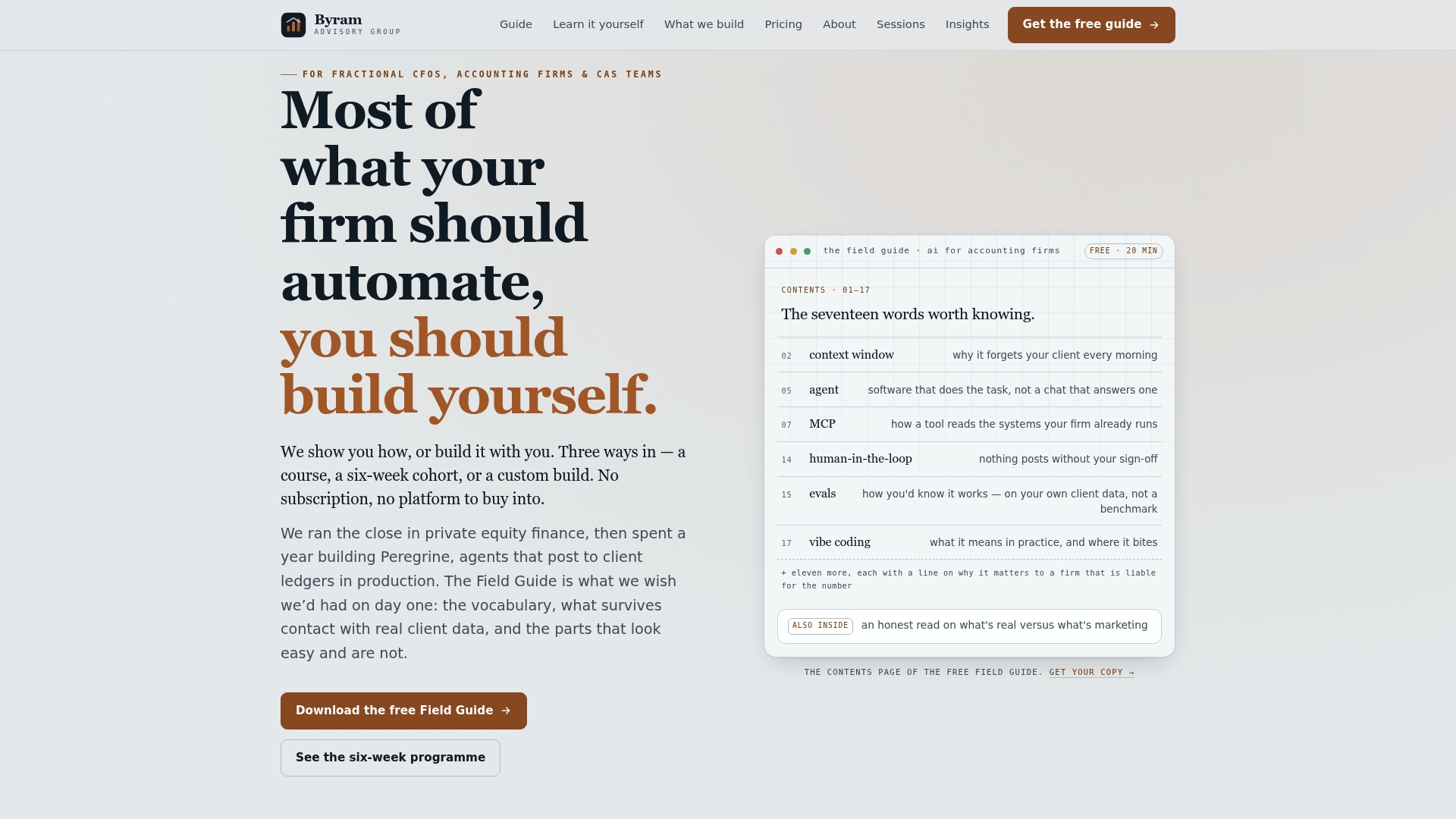
Byram Advisory's stance is straightforward: build the automation around the tools your clients already use, don't force a migration just to get real-time cash visibility and audit-ready reports. That's the model behind Peregrine, and it's also the model behind the firm's training resources, because a platform without a team that knows how to run it just becomes another dashboard nobody checks. If you'd rather see the full picture before committing to a platform, the free Field Guide to AI for accounting firms walks through the same framework this article covers, in more implementation detail. Firms that want to build the skill set in-house can start with the self-paced DIY course. Either way, the first move is the same: pick one client entity, one report pack, and ask Byram Advisory to scope a pilot.
Frequently Asked Questions
What is automated financial reporting, in plain terms? It's software that pulls financial data from your accounting systems, checks it against validation rules, and generates reports like P&L statements and board packs without someone manually rebuilding them each period.
How long does it take to implement automated financial reporting? A scoped pilot on one report pack typically runs 6 to 8 weeks, including data mapping, parallel testing, and rollout. Full-scale automation across multiple entities usually takes longer and rolls out in phases.
Can automated reporting work with QuickBooks? Yes. QuickBooks supports API-based connections that most modern reporting automation platforms, including Peregrine, use to pull data and run validation without manual exports.
Will auditors accept automated reports? They will, provided the system produces a documented audit trail, maker-checker approvals, and clear data lineage from source transaction to final report. Auditors care about evidence, not the fact that a process is automated.
What's the biggest risk in automating financial reporting? Poor data quality going in, and legacy systems without APIs, cause more failed rollouts than any software limitation. Address data mapping and connectivity before choosing a platform.
Sources
- What is financial reporting automation? — IBM
- Moving to the next level: financial planning and analysis — APQC
- AICPA SOC guidance
- TechCrunch: RollStack automatically syncs data to reports