

Automated reconciliations use bank feeds, ERP connectors, and matching logic (often AI-assisted) to compare transactions across systems continuously, instead of once a month by hand. The result is audit-ready bank-to-book balances, fewer manual matching hours, and a faster close. The sections below cover the workflow, the technology stack, realistic ROI, and a step-by-step roadmap for piloting and scaling it.
TL;DR:
- Automated reconciliation works best when data ingestion is timely, accurate, and standardized to ensure matching engines can operate effectively from the start.
- The most significant ROI comes from automating stable, high-volume accounts like bank and payment gateway feeds before expanding into complex intercompany or accounts receivable/payable reconciliations.
- Successful implementation depends on a phased rollout, focusing on high-volume, rule-stable accounts first, with continuous measurement of automation rates and exception resolution times.
- Common pitfalls such as poor data quality and unprepared exception workflows can severely hinder automation effectiveness and must be addressed before deployment.
- Key KPIs to monitor include automation rate, auto-match accuracy, and days-to-close, with early wins driven by fixing data issues and initially targeting low-risk, high-volume transactions.
Table of Contents
- What Is Automated Reconciliation and How Does the Workflow Operate?
- Manual vs. Automated Reconciliation: What Actually Changes
- What ROI Can Finance Teams Realistically Expect?
- What Technology Actually Powers Automated Reconciliations?
- Which Accounts Should You Automate First?
- How Do You Implement Reconciliation Automation Step by Step?
- What KPIs Should You Track After Going Live?
- What Goes Wrong During Adoption, and How Do You Fix It?
- What Lessons Actually Hold Up Across Real Implementations?
- How Byram Advisory Helps You Put This Into Practice
- Selected Sources and Further Reading
What Is Automated Reconciliation and How Does the Workflow Operate?
Automated reconciliation is the process of matching transactions between two or more financial records, bank statements, general ledgers, payment gateways, or subledgers, using software rather than a person clicking through spreadsheets line by line. The workflow has four distinct stages, and understanding each one matters because most implementation failures trace back to skipping or underbuilding one of them.
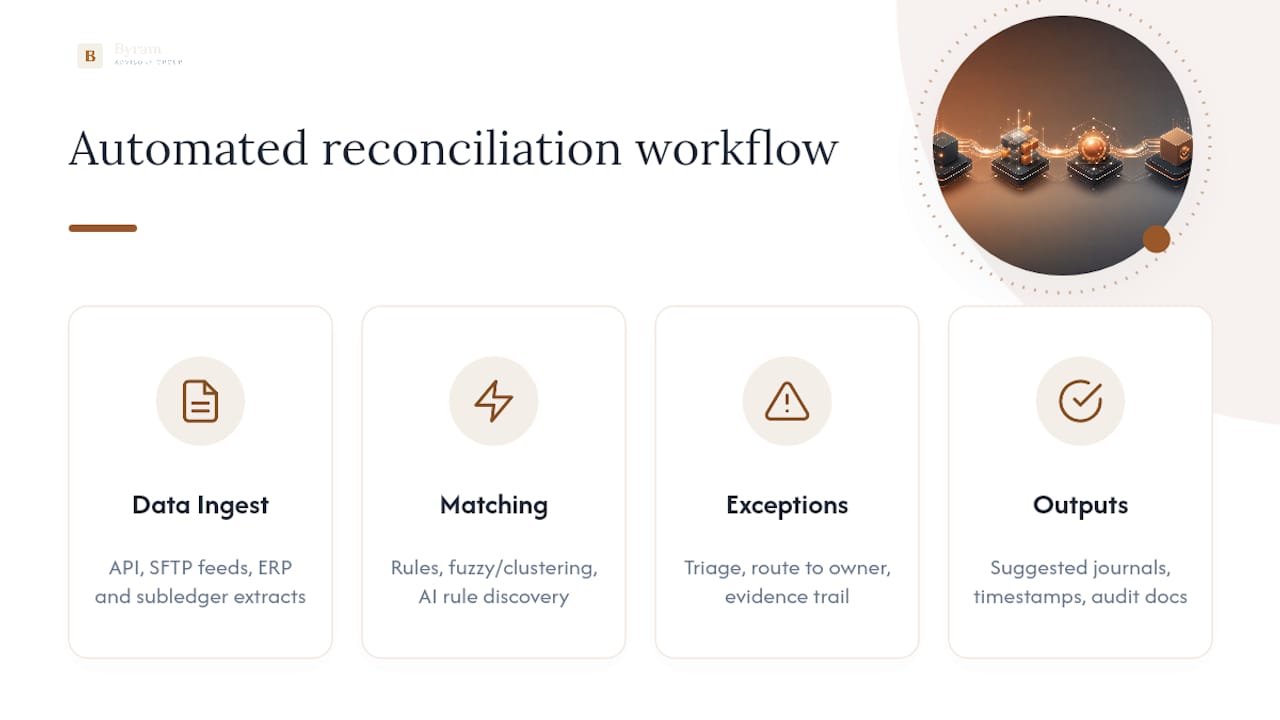
Data ingest comes first. Automated systems pull in bank feeds (typically through direct API connections or SFTP file drops), general ledger extracts from your ERP, payment gateway settlement reports, and subledger detail from accounts payable or receivable modules. The quality of this stage determines everything downstream. A feed that arrives late, truncated, or with inconsistent date formats will poison the matching engine before it does any work.
Matching engines do the heavy lifting. Most platforms layer three approaches. Rules-based matching handles the obvious cases: exact amount and date matches, or transactions tagged with a shared reference ID. Fuzzy or clustering logic catches near-matches, like a $4,982.17 deposit that's actually three invoices totaling $4,982.19 after a bank fee. AI-assisted rule discovery is the newer layer: instead of an accountant hand-writing every matching rule, the system observes historical match patterns and proposes new rules on its own, which matters most for high-volume accounts where nobody has time to write 200 matching conditions by hand.
Exceptions get their own lifecycle. Anything the engine can't match automatically gets flagged, triaged by likely cause (timing difference, data error, genuine discrepancy), routed to the right person for investigation, and resolved with the reasoning captured as evidence. That evidence trail is what turns a reconciliation from a checkbox exercise into something an external auditor can actually rely on.

Outputs close the loop. A well-built system doesn't just show you a reconciled balance. It produces suggested journal entries for approval, timestamps every match and every exception resolution, and generates the documentation package auditors will ask for without anyone scrambling to reconstruct it after the fact.
Manual vs. Automated Reconciliation: What Actually Changes
Manual reconciliation is a familiar routine: someone exports the bank statement, exports the GL, and works through them side by side in a spreadsheet, often for days at the end of every month. A Gartner survey found that a third of accountants make several errors per week due to sheer capacity constraints, not lack of skill. That's the real cost of manual work: it's not that people are careless, it's that nobody can hold thousands of line items in their head without slipping.
Here's what typically happens to the manual task list once automation is in place:
- Exact and near-exact matches on stable accounts get handled without a human touching them.
- Repetitive data entry and cross-checking against spreadsheets largely disappears.
- Month-end batch processing shifts toward continuous, daily reconciliation.
- Human judgment gets reserved for genuine exceptions: disputed charges, unusual counterparties, timing anomalies that need context only a person has.
- Documentation and audit trail creation happens automatically instead of being reconstructed after the fact.
What automation doesn't remove is judgment. A vendor short-paying an invoice by $312 because of a contract dispute isn't a matching problem, it's a business decision, and no engine should be allowed to resolve it silently. The realistic ceiling for most finance teams sits well short of 100 percent automation, and any vendor promising to eliminate human review entirely is overselling. The honest goal is shifting your team's time from repetitive matching toward reviewing the exceptions that actually require a brain.
The risk profile changes too. Manual reconciliation concentrates risk at month-end, when tired staff race through volume under deadline pressure. Continuous reconciliation spreads that risk out and surfaces problems while they're still small and easy to trace, rather than three weeks old and tangled with a dozen other transactions.
What ROI Can Finance Teams Realistically Expect?
Vendors and case studies report that automation rates can be high for stable accounts, with auto-match percentages reaching significant levels in some large-scale deployments. Treat those figures as directional. Actual results depend heavily on data quality, account complexity, and how much rule tuning happens during the pilot phase. A bank account with clean, consistent reference numbers will automate faster than an intercompany ledger with inconsistent naming across five subsidiaries.
By the Numbers: A Gartner survey found that a third of accountants make several errors per week because of capacity constraints alone, not skill gaps. Automation targets exactly that bottleneck by removing the volume of repetitive matching a person has to get through under time pressure.
The business case for automated reconciliation software tends to rest on four pillars:
- FTE hours reclaimed. Staff who spent days on manual matching get reassigned to variance analysis, forecasting, and client-facing advisory work, the tasks that actually justify a controller's salary.
- Audit and control strength. Every match and every exception resolution carries a timestamped trail, which shortens external audit fieldwork and reduces the odds of a material misstatement slipping through.
- Faster close cycles. Continuous reconciliation catches discrepancies as they happen rather than in a month-end scramble, which tends to compress days-to-close meaningfully, though the exact reduction depends on your starting baseline.
- Real-time cash visibility. When bank-to-book matching happens daily instead of monthly, cash forecasting stops being a guess based on three-week-old numbers.
The pattern worth noting: the ROI isn't just time saved, it's risk removed from the parts of the close that used to run entirely on trust. AI-driven productivity gains in finance teams tend to show up first in exactly this kind of repetitive, high-volume, rules-based work before they show up anywhere else.
What Technology Actually Powers Automated Reconciliations?
Evaluating a reconciliation automation platform means looking past the sales deck and into four technical layers that determine whether it will actually work with your systems.
Connectivity. Bank and payment gateway data arrives either through direct API connections, which update in near real time, or through SFTP file transfers, which are more common with legacy banks and typically run on a daily batch schedule. Your ERP connector matters just as much: modern platforms can ingest GL balances, bank feeds, and subledger data and post approved journal entries back to your ERP through secure connectors, which is what turns a reconciliation tool into a genuine part of your close process rather than a side report nobody looks at twice.
Matching logic. Rule engines handle deterministic matches. Fuzzy matching and clustering catch transactions that are logically the same but numerically imperfect. AI-assisted rule discovery, the newest layer, watches how your team resolves ambiguous matches and proposes rules that mimic that judgment, cutting down the manual rule-writing burden as volume grows.
ERP write-back. A platform that only shows you a reconciled balance without posting the entry is half a solution. Look for secure, permissioned journal-posting workflows where suggested entries route through an approval step before they touch the general ledger, never straight-through posting with no human checkpoint.
Security and audit evidence. Role-based access control, detailed activity logging, and immutable audit trails aren't nice extras, they're the difference between a system your external auditors trust and one they have to work around. Every match decision and every exception resolution should be timestamped and attributable to a person or a rule, permanently.
Payroll postings deserve particular attention here. Automated bank reconciliation systems that touch payroll-related cash movements need tight controls, since a mismatch on payroll can trigger compliance exposure fast. Firms working with payroll processing and compliance specialists often build tighter reconciliation rules around those specific transaction types for exactly this reason.

Which Accounts Should You Automate First?
Not every reconciliation delivers equal ROI on day one. Prioritizing the right accounts first is what separates a pilot that proves value in eight weeks from one that drags on for a year without a clear win.
- Bank-to-book continuous reconciliation. Operating and payroll bank accounts are the natural starting point: high transaction volume, stable formats, and rules that don't change much month to month. This is also where cash visibility improves fastest, since daily reconciliation replaces a monthly guess with a current number.
- Payment gateway settlement decomposition. Ecommerce merchants face a specific problem: gateways often bundle dozens or hundreds of microtransactions into a single lump-sum deposit. Specialized reconciliation logic decomposes that deposit back into individual sales, refunds, and processing fees, matching each piece to its invoice. This account type is higher effort to configure but often carries the highest error rate under manual processes, which makes it worth the setup cost.
- AP/AR reconciliation with partial payments. Vendors who split payments across multiple invoices, or customers who underpay by a few dollars due to a rounding difference, create exactly the kind of near-match problem fuzzy logic is built for.
- Intercompany reconciliation. Multi-entity organizations dealing with consolidation face some of the messiest data, inconsistent naming conventions across subsidiaries, different currencies, different chart-of-accounts structures. It's a harder build, but the manual version of this task is often the single most painful part of a multi-entity close.
The practical insight here: start pilots with bank accounts and high-volume merchant gateways where reconciliation rules are stable and the transaction count justifies the setup investment, then expand into AP/AR and intercompany once the rule engine has proven itself.
How Do You Implement Reconciliation Automation Step by Step?
A structured rollout beats a big-bang deployment every time. Here's the sequence that tends to produce a working pilot without derailing your existing close process.
- Select scope and baseline your current state. Pick one or two account types (bank operating accounts are the standard starting point) and measure your current reconciliation time, error rate, and days-to-close before you touch anything. Without a baseline, you can't prove the automation worked.
- Prepare your data. Standardize reference IDs, normalize counterparty names, and fix inconsistent date formats before expecting high automation rates. This step is unglamorous and frequently skipped, and it's the single biggest predictor of pilot success or failure.
- Prioritize your integrations. Decide which connectors come first, direct bank APIs where available, SFTP for legacy feeds, and design your ERP write-back path so approved journal entries post automatically rather than requiring manual re-entry.
- Configure matching rules and train the model. Author your initial rules-based logic for the obvious matches, then let ML-assisted matching observe how your team resolves ambiguous cases and set acceptance thresholds for what gets auto-matched versus flagged for review.
- Design and run the pilot. Define success criteria up front (target automation rate, exception count reduction, days-to-close improvement) and pick a representative sample of accounts. A typical pilot for a medium-sized finance team runs four to eight weeks, covering scoping, data prep, connector setup, rule configuration, and initial tuning.
- Scale and govern. Once the pilot hits its targets, expand account by account. Establish an operating model: who owns rule maintenance, what SLA governs exception resolution time, and how the team trains new hires on the exception workflow rather than the old manual process.
Pro Tip: Automate your lowest-risk, highest-volume accounts first and route human review toward high-value or high-risk exceptions only. That risk-based sequencing gets you to a defensible ROI number faster than trying to automate everything at once.
Change management matters as much as the technical build. Staff who've spent years doing manual matching will (reasonably) distrust a system that auto-resolves transactions they used to check by hand. Bring your team into the rule-configuration stage early, show them the exception queue before go-live, and frame the shift as moving their time toward higher-judgment work rather than replacing their job.
What KPIs Should You Track After Going Live?
Three metrics matter more than the rest. Automation rate is the percentage of total transaction volume matched without human intervention, calculated as matched transactions divided by total transactions in a period. Auto-match percentage narrows that to how many matches the engine got right on the first pass, without a human override. Days-to-close tracks how many business days it takes to finalize the period, and it's usually the number your CFO cares about most.
- Track exception aging (how long items sit unresolved) and set a target resolution window, typically 24 to 48 hours for routine exceptions.
- Monitor journal-posting error rates after write-back to catch any drift in the matching rules over time.
- Measure balance-sheet coverage: what percentage of total reconciled balance sits in fully automated accounts versus manual review.
By the Numbers: With a third of accountants making several errors weekly under manual capacity constraints, a falling exception-error rate after automation is one of the clearest signals the investment is working. Present these numbers to your CFO as a trend line, not a single snapshot, and break out audit-specific metrics (trail completeness, exception documentation rate) separately for your external auditors.
What Goes Wrong During Adoption, and How Do You Fix It?
Data quality is the most common failure point, and it's rarely a surprise. Inconsistent reference IDs, mismatched counterparty naming, and irregular date formats will suppress your automation rate no matter how good the matching engine is. Fix this before configuration, not during it.
Bundled deposits and microtransaction-heavy gateways are the second most common trap. A single settlement deposit representing 400 individual sales needs decomposition logic built specifically for that gateway's report format, and teams that try to force generic rules-based matching onto that data usually end up with a wall of unresolved exceptions.
Exception workflows need structure from day one: a clear triage path, a named owner for each exception category, and mandatory evidence capture (why was this resolved this way, and by whom) so the audit trail holds up under scrutiny months later.
Finally, know when to leave something manual. Low-volume, highly judgment-driven accounts, think one-off legal settlements or unusual related-party transactions, rarely justify the rule-building investment. Automating everything isn't the goal. Automating the repetitive 80 percent so your team can focus on the judgment-heavy 20 percent is.
What Lessons Actually Hold Up Across Real Implementations?
Three things separate a reconciliation automation project that works from one that stalls. First, do standardize your reference data before you configure a single matching rule. Skipping this step is the single most common reason a pilot underperforms its projected automation rate. Second, don't try to automate everything in month one. Teams that pick one high-volume, stable account type first, prove the ROI, then expand, build internal trust faster than teams that attempt a full rollout and stumble on account types nobody prepared for. Third, do capture exception evidence from day one, not after your first audit request forces you to reconstruct it.
Byram Advisory phases every engagement around this same logic: baseline, pilot on a contained scope, measure the automation rate and exception reduction, then expand. Early wins get reported in concrete numbers, not vague progress updates, because that's what earns the budget for phase two.
Teams ready to move past reading about this and into building it should start with the Field Guide to AI for Accounting Firms, which walks through the same sequencing described above with worksheets built for exactly this kind of rollout.
— Owen
How Byram Advisory Helps You Put This Into Practice
Byram Advisory built Peregrine specifically to close the gap between "we understand automated reconciliation in theory" and "we have it running against our real accounts by next quarter." Peregrine integrates directly with QuickBooks and similar accounting software to automate the repetitive matching described throughout this piece, while keeping journal-posting under human approval so your controllers stay in the loop, not out of it.
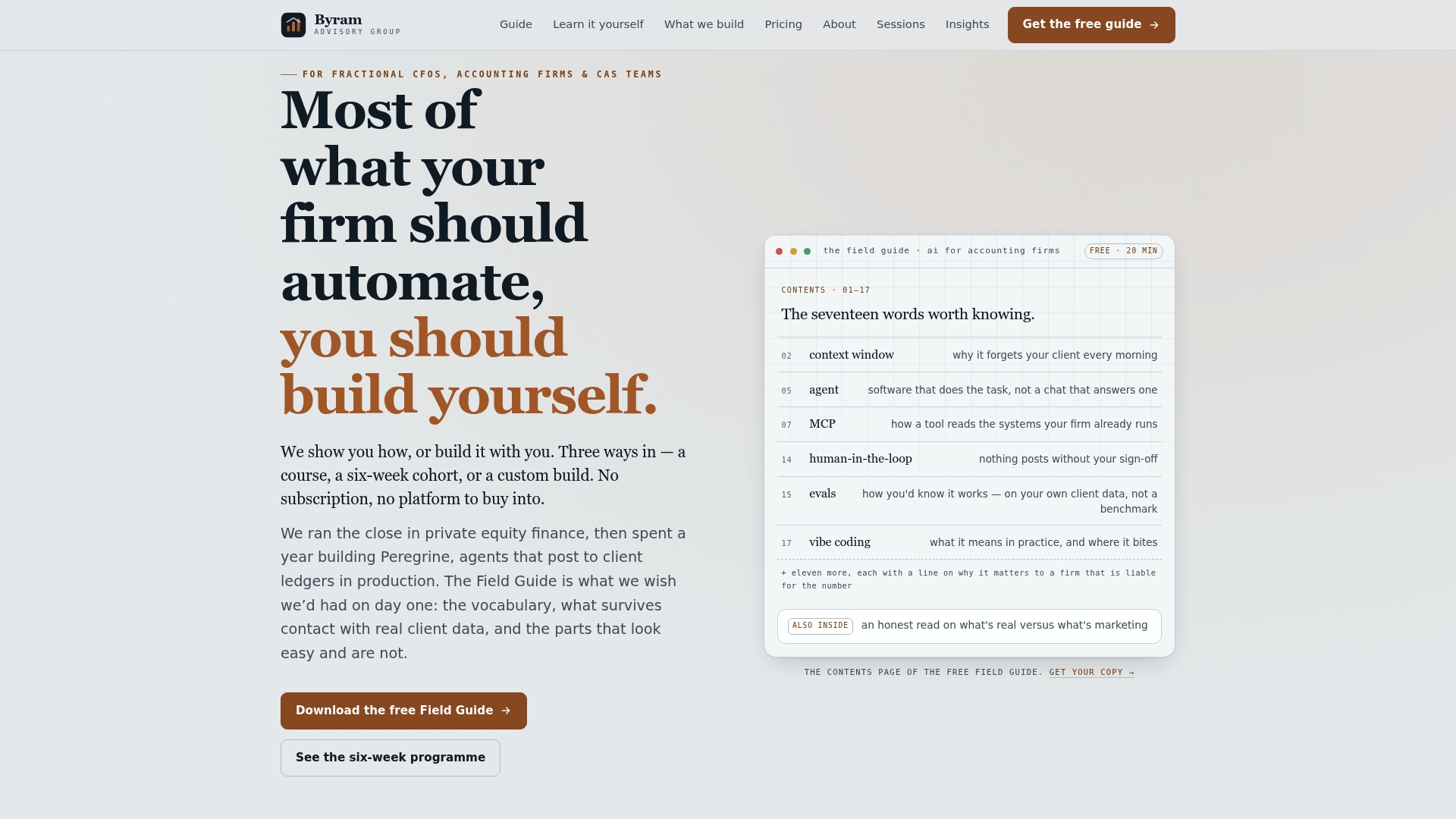
If you want to see the sequencing before committing to a build, download the free Field Guide to AI for Accounting Firms, which lays out the same data prep, connector, and pilot steps covered above in a worksheet format your team can act on immediately. If your team prefers a structured, self-paced path, the DIY AI Implementation Course walks through building your own automation rules without waiting on a vendor timeline. And if you'd rather have Byram Advisory scope and build the pilot with you, start a conversation with our team about which accounts to automate first.
Selected Sources and Further Reading
The error-rate figures cited in this piece come from a Gartner survey on accountant capacity constraints, which found that a third of accountants make several errors weekly under normal workloads. For implementation detail, the Field Guide to AI for Accounting Firms covers pilot sequencing and rule configuration in depth, and Byram Advisory's Insights blog publishes ongoing case examples from teams further along in their automation rollout.