

Close task management is the discipline of assigning, sequencing, and tracking every action needed to finish a financial period, from reconciliations to final review. The single most effective change most teams can make is simple: assign one named owner to every task and let dependency-based checklists trigger the next step automatically, instead of relying on memory or a shared spreadsheet. The sections below cover the features, practices, and rollout steps that make that shift stick.
TL;DR:
- Assigning a single owner to each task significantly improves accountability and reduces delays during the close process.
- Dependency-driven checklists and automated triggers streamline task sequencing, preventing manual bottlenecks and skipped steps.
- Integrating the task management system with existing accounting tools ensures real-time data updates and more accurate progress tracking.
- Regularly monitoring cycle time, overdue tasks, and reconciliation variances helps identify issues early and allows proactive adjustments.
- Pilot programs focusing on high-friction tasks over two weeks provide clear insights into potential efficiency improvements before full rollout.
Table of Contents
- What close task management is and why it matters for month-end accuracy
- Core task management features that matter for finance closes
- Practical task-completion practices for finance teams
- How to implement or integrate a close task workflow
- A detailed end-to-end timeline for the month-end close
- Total cost breakdown for implementing close task management software
- Criteria and questions to evaluate a close task management solution
- Common pitfalls when selecting or implementing close task tools
- Case studies and examples worth studying
- What governed automation looks like in practice
- Turning this guide into a working close with Byram Advisory
- Sources
- FAQ
What close task management is and why it matters for month-end accuracy
Close task management sits inside the broader close process, the sequence of reviewing, reconciling, and finalizing financial data before it becomes a report. As the NetSuite guide to close management frames it, close management coordinates that entire process, and task management is the piece that organizes the checklists, assignments, and reviews that actually get the work done. Without it, a close depends on individual memory and informal follow-up, which breaks down as headcount, entity count, or transaction volume grows.
Three failure modes show up repeatedly in teams that manage close tasks informally:
- Unclear ownership, where a task technically belongs to a team rather than a person, so nobody starts it until someone asks.
- Manual sequencing, where task B waits on someone remembering that task A finished, instead of starting automatically.
- Lost context between periods, where prior-month work is not rolled forward, so preparers rebuild checklists from scratch every close.
Each of these shows up in measurable ways. Close cycle time, the number of calendar days from period end to final reporting, tends to stretch when ownership is unclear. Post-close adjustments, corrections made after the books were considered final, tend to rise when sequencing is manual and steps get skipped or done out of order. Overdue task counts, tracked weekly rather than only at month end, catch bottlenecks early enough to fix them before they cascade into a late close. Teams that track these three metrics consistently have a baseline for judging whether any process or software change actually helped, rather than guessing.
Core task management features that matter for finance closes
Before evaluating any tool, finance teams should define the feature set they actually need for a close, not the feature set a vendor demo shows first. The list below works as a specification you can hand to IT or an ERP administrator.
- Dependency-driven checklists that unlock the next task automatically once the prior one is marked complete, rather than requiring a manual check-in.
- Auto-rollforward so each period's checklist and assignments carry over from the last, with adjustments, instead of being rebuilt from scratch.
- Single preparer and reviewer fields per task, with visible ownership and a due date or service-level agreement attached to each.
- Integrations with the general ledger, ERP, and bank feeds so task status reflects real data rather than a manually updated status field.
- Audit trails and permissioning that log who completed a task, when, and what changed, with a human signoff gate before anything is treated as final.
Free tools can handle some of this, but rarely all of it. The Forbes Advisor review of free task management software found that many popular free-forever plans cap the features finance teams rely on most: one example cited a free plan limiting storage to 60MB, another limiting a personal tier to two users, and a third offering solid basic boards while gating advanced automation behind a paid tier. A free plan can work for a single entity with a short checklist and no integration needs. It tends to break down once a team needs bank feed integration, multi-user permissioning, or an audit trail that satisfies an external reviewer.
Statistic callout: According to Forbes Advisor, free task management plans commonly restrict storage, user counts, or automation depth, which means the real cost of a "free" tool often shows up later as a forced upgrade mid-close.
The practical takeaway is to prioritize integrations and logging over interface polish when evaluating any tool, free or paid. A tool that centralizes tasks but cannot connect to source systems or produce a defensible audit trail will create rework rather than remove it.
Practical task-completion practices for finance teams
Software enforces structure, but the operating rules underneath it determine whether tasks actually get finished on time. The following practices combine behavioral science with practitioner habits, and they can be adopted before any new tool is purchased.
- Assign one named owner per task, never a team or a role. Ownership that is diffuse is ownership nobody feels, and visible single-name assignment is the fastest way to close that gap.
- Break large jobs into next actions. A task like "reconcile intercompany accounts" is really ten smaller steps. Research on finishing projects found that breaking complex tasks into concrete next actions increases completion rates by lowering the effort needed to simply start.
- Map dependencies so the next task unlocks automatically. If task B only starts once someone remembers task A is done, you have a checklist, not a workflow. Configure the tool so completion of one step programmatically creates or opens the next.
- Use short SLAs and weekly micro-deadlines, not just a single month-end deadline. A 48-hour SLA on a reconciliation task creates a natural checkpoint long before the close deadline arrives.
- Set explicit rules for deferring or abandoning tasks that no longer serve the close's reporting priorities, rather than letting them sit open indefinitely.
That last rule matters more than it sounds. Unfinished tasks create a specific kind of mental friction: the same research on project completion describes how unfinished tasks generate cognitive load, a version of the Zeigarnik effect, that drives rumination until the task is either finished or deliberately closed out. A close checklist with a dozen open, low-priority tasks does not just look messy. It occupies mental bandwidth that preparers could spend on the reconciliations that actually matter. Giving a team explicit permission to formally defer a task, rather than let it linger unresolved, removes that drag.
Pro Tip: Review open tasks every Friday during close week, not just at the final deadline; a task that has been open more than three days without movement is a signal to reassign it, not to wait longer.
Dependency mapping deserves particular attention because it is the piece most teams skip. A close calendar without automated triggers is still a list, no matter how detailed it looks in a spreadsheet. Configuring the workflow engine, whether that is a project tool or a purpose-built close platform, so that successor tasks are created or unlocked programmatically removes the manual gating step that causes missed starts. The related discipline of agentic workflows applies the same logic to broader finance processes, not just the close.
How to implement or integrate a close task workflow
Rolling out a new task workflow works best as a staged pilot rather than a full replacement of existing processes on day one.
- Map the current state. Document every task in the existing close, who owns it today, and where handoffs currently happen manually.
- Scope a narrow pilot. Pick a single entity and three to five high-friction tasks, the ones most often late or most often corrected after close.
- Configure dependencies and signoff gates for just those tasks, so completion of one step automatically opens the next and a named reviewer must approve before it is marked final.
- Integrate the relevant feeds, whether that means a general ledger connection, a bank feed, or an ERP export, so task status reflects real data rather than a manual update.
- Train the team and measure results over a defined window, typically two weeks, before deciding whether to expand.
During the pilot, track three numbers: cycle time for the pilot tasks, the overdue rate against SLA, and reconciliation variance before and after. These give a concrete before-and-after comparison rather than an anecdotal impression.
Timelines vary by integration complexity, but a pilot scoped to a single entity with three to five tasks typically runs four to twelve weeks depending on how many systems need to connect. The main cost and complexity drivers are ERP integration work, custom rollforward logic for multi-entity structures, and the mapping required when a firm manages several client entities with different chart-of-accounts structures.
Whatever the pilot's scope, keep the automation auditable throughout. Every automated step should log who or what triggered it, and any task that affects final reporting numbers should still require a human signoff before it counts as closed. That gate is what turns automation into a controlled layer of the close rather than an unsupervised shortcut.
A detailed end-to-end timeline for the month-end close
A close built around dependency-driven task management typically follows a predictable rhythm rather than a single deadline crunch. In the first one to two business days after period end, transactional cutoffs close and preparers begin bank and intercompany reconciliations, each assigned to a named owner with a short SLA. Days three through five cover the bulk of account reconciliations and accruals, with each completed task automatically unlocking its dependent review step rather than waiting on a manual handoff.
By day six or seven, reviewers work through the signoff queue that has built up from completed preparer tasks, flagging exceptions back to the original owner rather than absorbing the fix themselves. Days eight through ten are reserved for adjusting entries and variance analysis, informed by the reconciliation work completed earlier in the cycle. The final one to two days are for management review and report finalization, a step that should only begin once every dependent task in the chain shows as signed off, not merely marked complete.
The advantage of sequencing the close this way is that bottlenecks surface on day three or four, while there is still time to reassign or escalate, rather than on day nine when the deadline is close and options are limited.
Total cost breakdown for implementing close task management software
The sticker price of a task management tool is rarely the full cost. Direct platform costs are usually the smallest line item; the larger costs come from implementation and maintenance. Integration work, connecting the tool to a general ledger, ERP, or bank feeds, is typically the largest one-time cost, and it scales with the number of systems and entities involved.
Custom rollforward logic adds cost when a firm manages multiple entities with different account structures, since a generic template rarely fits every client without adjustment. Training time is a recurring but often underestimated cost: preparers and reviewers need time to learn new assignment and signoff workflows, and that time comes out of close-week capacity in the first cycle or two.
Hidden costs tend to show up in three places. First, free-tier limitations force a mid-year upgrade once a team hits a user, storage, or automation cap, as the Forbes Advisor analysis notes is common among free task tools. Second, maintaining multi-entity mappings requires ongoing administrative time as clients or subsidiaries are added. Third, audit trail and permissioning features that satisfy an external reviewer are sometimes gated behind a higher pricing tier than the one a team initially selects. Budgeting for integration and training time up front, not just the subscription fee, avoids most of the surprise cost.

Criteria and questions to evaluate a close task management solution
Choosing a tool comes down to a short list of concrete questions rather than a feature comparison chart. Ask whether the tool supports dependency-based task unlocking, or whether every handoff still requires a manual check. Ask whether it integrates directly with your general ledger, ERP, and bank feeds, since a tool that only tracks status manually will not reduce reconciliation work.
Confirm that it supports single-owner assignment with visible ownership, not just team-level task lists, and that it logs a full audit trail: who completed each task, when, and what was changed. Ask whether human signoff is required before a task is treated as final, since that gate matters for audit readiness regardless of how much of the workflow is automated. Ask what happens at the free-tier or lower-plan limit: what specifically gets capped, and what the upgrade path costs. Finally, ask how the tool handles multi-entity structures if you manage more than one legal entity or client book, since rollforward logic that works for one entity does not always scale cleanly to ten.
A short pilot, scoped to a single entity and a handful of high-friction tasks over a two-week measurement window, answers most of these questions faster than a vendor's feature list can.
Common pitfalls when selecting or implementing close task tools
The most common mistake is treating close task management as a motivation problem instead of a sequencing problem. The real failure in most closes is not that preparers lack drive, it is that ownership is unclear and one task does not reliably trigger the next. A tool cannot fix that on its own if the underlying assignments stay ambiguous.
A second pitfall is buying a free or low-tier plan without checking its limits against actual close needs. Teams often discover the storage, user, or automation cap only mid-cycle, after tasks and history are already built inside the tool. A third pitfall is skipping dependency configuration entirely and using the tool as a glorified checklist. A calendar without triggers is only a list, no matter how many columns it has.
A fourth red flag is automation with no human signoff gate. Any workflow that marks a task complete without a named reviewer approving it creates an audit gap that surfaces at the worst possible time, during external review. Finally, watch for tools that handle a single entity well but have no real answer for multi-entity or multi-client rollforward. That gap does not show up in a demo. It shows up three months in, when the second client entity needs onboarding and the mapping has to be rebuilt by hand.
Case studies and examples worth studying
Public case studies specific to close task management implementations are limited, and vendor-published results should be read with that in mind. The more reliable pattern across product documentation and practitioner writing is consistent: teams that report the clearest gains are the ones that piloted narrowly first, on a single entity with a handful of high-friction tasks, before expanding.
That pattern lines up with how workflow platforms model tasks in the first place. Developer documentation for task-based systems, such as the Close API's task resources, treats each task as an object with a completion state, an actionable date, and type filters, metadata built specifically to support automation and reporting rather than freeform to-do lists. That structure is what makes dependency mapping and audit trails possible at all: a task the system can query and trigger on is fundamentally different from a task written in a shared document.
For finance teams specifically, the more instructive examples tend to be internal: a team that cuts its close from ten days to seven by fixing sequencing on three bottleneck tasks has a more useful case study than a vendor's aggregate marketing claim, because the before-and-after numbers are the team's own and can be checked against its own baseline metrics.
What governed automation looks like in practice
At Byram Advisory Group, we treat automation as a controlled layer inside the close, not a replacement for it. Our platform, Peregrine, integrates with existing accounting software like QuickBooks so task status reflects real data, but every automated step still passes through written process checks and requires human signoff before anything counts as final. That structure is what keeps a faster close defensible under audit, not just faster on paper. Clients typically see shorter close cycles and clearer audit trails, without giving up the oversight a reviewer expects.
— Owen
Turning this guide into a working close with Byram Advisory
Everything in this guide, single ownership, dependency triggers, auditable signoff are easier to implement with a system built for it rather than retrofitted onto a generic project tool. Byram Advisory Group offers a few concrete ways to get there depending on how much support your team needs.
- The Sprint is a one-off engagement to pilot workflow automation on a narrow scope, similar to the four-to-twelve-week pilot outlined above, without building it from scratch internally.
- The Bootcamp is a cohort training program for teams that want to learn controlled automation and close workflow design directly, with pricing available on request.
- Peregrine, our QuickBooks-integrated platform, handles dependency-driven checklists, rollforward, and audit trails as a built-in feature rather than an add-on.
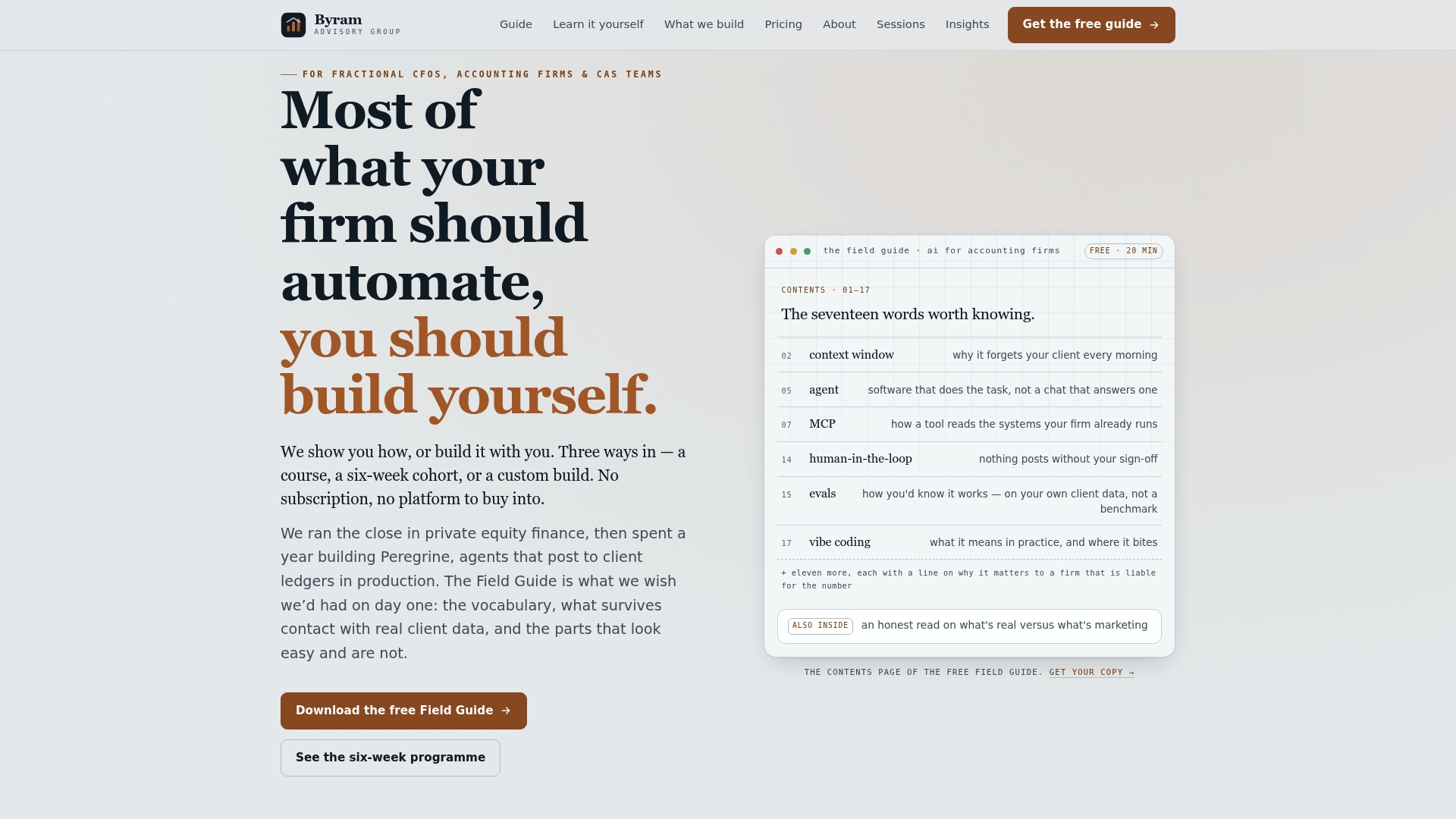
Clients who own the delivered process and code keep running it independently once the engagement ends, with no dependency on Byram afterward. If you want to map your own close before committing to anything, The Field Guide to AI for Accounting Firms is a free download that walks through the same framework in more detail. To scope a pilot on your own close, start with The Sprint or see the full range of services on our services page.
Sources
- Best Free Task Management Software – Forbes Advisor
- Getting beyond regret: How to finish the projects you start — Psychology Today
- What Is Close Management? A Guide — NetSuite
FAQ
Is there a free task management tool for close checklists?
Yes, several popular tools offer free-forever plans, but they typically cap storage, user counts, or automation depth once a close involves multiple preparers or integrations. According to Forbes Advisor, a free tool can work for a single entity with a short checklist, but most finance teams outgrow the free tier once they need bank feed integration or a full audit trail.
What is close task management software used for?
Close task management software organizes the checklists, assignments, deadlines, and reviews that make up a financial period close. It is the operational layer that coordinates who does what and in what order within the broader close management process described by NetSuite.
What is a task management system in accounting?
A task management system in accounting assigns named owners to each close step, tracks completion status against a deadline, and, in stronger implementations, triggers the next task automatically once a dependency is met. The stronger versions also log an audit trail and require human signoff before a task counts as final.
What is the best way to track project progress during a close?
The most reliable approach tracks three numbers weekly rather than waiting for month end: cycle time, overdue task rate, and reconciliation variance. Watching these during the close, not just after it, surfaces bottlenecks while there is still time to reassign work before the deadline.
How does Byram Advisory support close task management?
Byram Advisory Group's platform, Peregrine, integrates with QuickBooks to automate close checklists, rollforward, and reporting while keeping human signoff required before any task is treated as final. Pricing for services like The Sprint starts at 2000 USD for a focused pilot engagement, detailed on Byram Advisory's site.