

A financial close calendar sequences cutoffs, reconciliations, review gates, and deliverables so your team produces audit-ready month-end reports on a predictable schedule. The practical target: a D-3 pre-close and a gated close of 5 to 10 business days, longer if you run multi-entity or inventory-heavy books. Build the calendar with the templates below, then automate the repetitive parts so controllers spend their time reviewing, not chasing data.
TL;DR:
- Teams aiming for a five-day close need pre-close work, weekly reconciliations, and templated recurring journal entries before period end.
- A D-3 pre-close discipline requires upstream acknowledgment of cutoffs to prevent last-minute surprises and delays during closing.
- The day-by-day close model includes gate conditions like reconciliations being completed and controller sign-off before progressing.
- Automating repetitive tasks such as reconciliations, recurring journal entries, and evidence collection shortens close times and improves accuracy.
- Small, continuous improvements focusing on bottlenecks like cutoffs and reconciliations yield faster closes than attempting major timeline reductions.
Table of Contents
- What Is a Financial Close Calendar and Why Do Teams Need One?
- What Close Timeline Should You Actually Target?
- What Does a Runnable 5-Day Close Calendar Look Like?
- How Do You Build and Operationalize a Close Calendar?
- What Should You Automate, and How Do You Keep the Calendar Current?
- How Does Automation Change What's Possible in Your Close?
- What's the Fastest Way to Deploy a Close Calendar This Week?
- Why Small Wins Beat Big Timeline Cuts
- Get Your Close Calendar Running With Byram Advisory
- Sources
What Is a Financial Close Calendar and Why Do Teams Need One?
A financial close calendar is the schedule that turns "we need to close the books" into a sequence of dated, owned tasks with clear pass/fail conditions. Without one, close timing depends on whoever remembers to reconcile the bank account first, and every month becomes a fresh negotiation.
The core components repeat across every serious close calendar:
- Tasks broken into discrete, assignable units (not "do AP" but "match AP subledger to GL by 10 a.m. D+1").
- Owners assigned by role, not by name, so the calendar survives staff turnover.
- Dependencies that show which tasks must finish before the next one can start.
- Gates where a reviewer confirms a condition is true before work moves forward.
- Evidence links pointing to the reconciliation, rollforward, or approval that proves the task happened.
That evidence trail matters more than most teams realize. When reconciliations and rollforwards are logged against the calendar in real time, an auditor or a new controller can trace exactly what happened and when, instead of reconstructing it from memory during fieldwork months later. That single habit is what separates a close that survives external scrutiny from one that generates weeks of follow-up questions.
What Close Timeline Should You Actually Target?
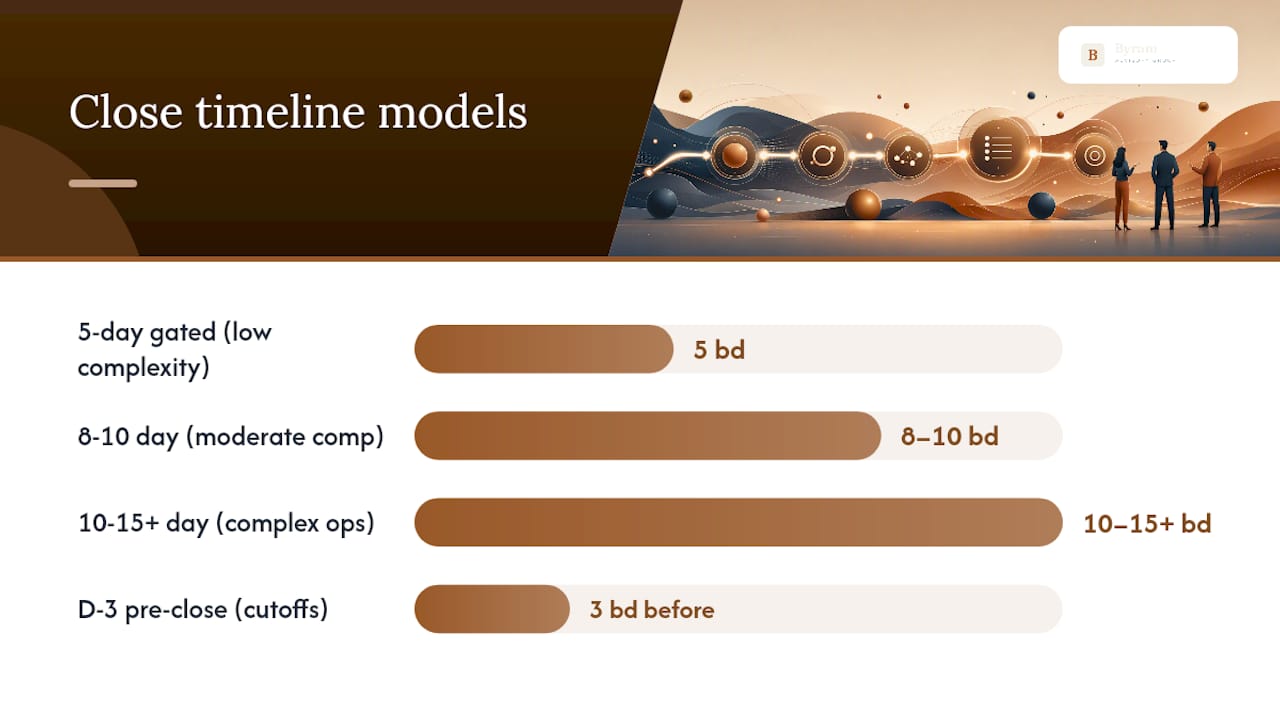
Most organizations close somewhere between 5 and 10 business days. Complex environments with inventory, multiple entities, or heavy intercompany activity commonly need 8 to 15 or more business days, and pretending otherwise just produces a calendar nobody follows.
The 5-day gated model works only when specific groundwork exists before Day 1. You need weekly bank and subledger reconciliations already running (not batched at period end), enforced cutoffs on AP, payroll, and revenue, and templated recurring journal entries that don't require rebuilding each month. A disciplined 5-business-day close is achievable when pre-close work, hard cutoffs, and that weekly reconciliation cadence are all in place before the period even ends.
The 8 to 10 day model fits teams with moderate complexity, a couple of subsidiaries, or manual steps that haven't been automated yet. It gives extra room for intercompany eliminations and consolidation review without collapsing the timeline.
The 10 to 15+ day model suits organizations with inventory costing, multi-currency translation, or complex revenue recognition. Trying to force these environments into a 5-day calendar usually just moves the pain into next month's opening balances.
D-3 pre-close is the discipline that makes any of these timelines hold. Three business days before period end, publish the cutoff schedule and require upstream teams (sales, procurement, HR) to acknowledge the deadlines. Practitioner guidance on starting pre-close preparation at D-3 is consistent: reconciliation work should begin before the period closes, not after, or you spend Day 1 discovering problems you could have caught early.
What Does a Runnable 5-Day Close Calendar Look Like?
Here's a day-by-day model you can adapt directly. Each day has one objective and one gate condition that must be true before the next day opens, so a defect on Day 2 doesn't quietly cascade into Day 5.
- Day 1 (D+1): Close subledgers, post accruals, reconcile cash to the bank statement. Gate: cash and AP subledger tie to GL.
- Day 2 (D+2): Complete balance sheet reconciliations and intercompany matching. Gate: all reconciling items under materiality threshold are documented.
- Day 3 (D+3): Post adjusting entries, run preliminary P&L review with department owners. Gate: controller signs off on adjusting entries.
- Day 4 (D+4): Consolidate entities, review variance against budget/forecast. Gate: variance explanations attached to every line over threshold.
- Day 5 (D+5): Finalize reports, distribute to stakeholders, lock the period. Gate: CFO or controller approval recorded with evidence link.
For monthly and quarterly cycles, expand the same logic into a template with fields for Day 0 (period end) through D+10 or D+15, plus quarterly-specific rows for tax provision, board reporting, and any external audit review deliverables.
Whichever tool you use, standardize on these columns:
| Field | Purpose |
|---|---|
| Task ID | Unique reference for dependency linking |
| Task Name | Specific, action-oriented description |
| Category | Reconciliation, review, reporting, etc. |
| Owner Role | Who is accountable, by title not name |
| Predecessor ID | Which task must finish first |
| Start / End | Calculated from predecessor plus slack |
| Evidence Link | Where the proof of completion lives |
| Status | Not started, in progress, blocked, done |
| Reviewer | Who signs off at the gate |
An Excel close-calendar template that links predecessor IDs and calculates start and end dates automatically turns a static checklist into a dynamic schedule that flags critical-path bottlenecks the moment one task slips.
How Do You Build and Operationalize a Close Calendar?
Turning a template into a habit your team actually follows takes more than filling in dates. Here's the sequence that holds up month after month.
- Map dependencies with Finish-to-Start logic. Identify which tasks genuinely block others, then trace the critical path, the longest chain of dependent tasks that determines your total close length. Shortening the critical path is the only way to shorten the close; speeding up a task that isn't on it changes nothing.
- Publish cutoffs and enforce them. AP, payroll, intercompany, and revenue cutoffs need a published date, an owner, and an automated reminder. A late intercompany invoice at D+2 shouldn't be a surprise; it should trigger an escalation you already defined.
- Place buffers before review, not after. Buffers absorb the inevitable late input or reconciling item without eating into the controller's review window. Guidance on placing buffers before review and final delivery rather than after is one of the more counterintuitive fixes teams skip, and it's usually why "one late journal entry" turns into a missed reporting deadline.
- Assign role-based ownership and reviewer gates. Every task needs a named role responsible for doing it and a separate role responsible for approving it. Combining the two removes the control that catches errors before they reach the financials.
- Document evidence requirements per account. Decide in advance what proof each reconciliation needs (bank statement screenshot, subledger export, signed variance explanation) so nobody debates it during the close itself.
Pro Tip: Group your checklist steps into visible phases (pre-close, posting, reconciliation, review) instead of one long flat list. Grouping makes it obvious where the calendar is slipping, and it stops people from assigning unrealistic dates to individual micro-tasks instead of the phase they belong to.
What Should You Automate, and How Do You Keep the Calendar Current?
Not every close task deserves automation, but a handful of repetitive ones eat a disproportionate amount of time every single month:
- Bank and subledger reconciliations that follow the same matching logic period after period.
- Recurring journal entries for accruals, depreciation, and prepaid amortization.
- Reminder emails to task owners as deadlines approach or dependencies clear.
- Evidence capture, automatically attaching the source document to the calendar line instead of a shared drive folder nobody checks.
Layering a dependency-aware calendar on top of a spreadsheet, a project management tool, or a dedicated close-calendar module works as long as the underlying logic holds: predecessor IDs drive start dates, and a task can't move to "done" without its evidence link populated. The dependency-aware structure matters because a single late input becomes visible immediately instead of silently pushing every downstream task back without anyone noticing until Day 5. Structured, permission-controlled document workflows also cut down on the duplicated digging that auditors and reviewers otherwise have to do, a pattern documented procedures and in-tool evidence capture consistently reduce.
How Does Automation Change What's Possible in Your Close?
Some firms build tools to automate the repetitive parts of month-end work, bank feed matching, recurring journal entries, and evidence capture, so the calendar reflects reality instead of a best guess made three weeks ago.
- Some platforms integrate directly with QuickBooks to keep reconciliations and rollforwards current without manual re-entry.
- Such automation can preserve the evidence trail the calendar depends on, which can help make a true D-3 pre-close feasible instead of aspirational.
- This approach may free controller time for judgment calls, variance explanations and adjusting entries, that software shouldn't be making alone.
If you're mapping this to your own process, the Field Guide walks through implementation steps, and the DIY course covers the build in more depth.
What's the Fastest Way to Deploy a Close Calendar This Week?
Skip the perfect version. Deploy this phased checklist and refine it over the next few cycles:
- D-3 pre-close: Publish cutoffs for AP, payroll, and revenue; get written acknowledgment from upstream owners.
- D+1 intake and posting: Close subledgers, post standard accruals, reconcile cash.
- D+2 to D+3 reconcile and adjust: Complete balance sheet reconciliations, post adjusting entries, get controller sign-off.
- D+4 to D+5 review and lock: Run variance review, finalize reports, lock the period with recorded approval.
For your one-page version, copy these fields directly: Task ID, Task Name, Owner Role, Predecessor ID, Due Date, Evidence Link, Status.
Your 90-day rollout:
- Month 1: Run one cycle unchanged. Just observe and log where tasks actually finish versus where you planned.
- Month 2: Fix the single longest bottleneck you found. Don't try to fix five things at once.
- Month 3: Publish the target calendar with the fix built in, and hold the team to it.
Why Small Wins Beat Big Timeline Cuts
Trying to jump from a 15-day close to a 5-day close in one month is how calendars get abandoned by Month 2. Run one cycle first and just watch where time actually goes; the longest tasks are rarely the ones people assume.
Fix one bottleneck, tell the team what changed and why it worked, then move to the next. Cutoffs, reconciliations, and controller review gates deserve attention before anything else. Reporting speed is a byproduct of those three being solid, not a separate problem you solve on its own.
— Owen
Get Your Close Calendar Running With Byram Advisory
Certain automation layers aim to make a gated, D-3 close realistic instead of theoretical, without requiring teams to abandon QuickBooks or rebuild their workflow from scratch.
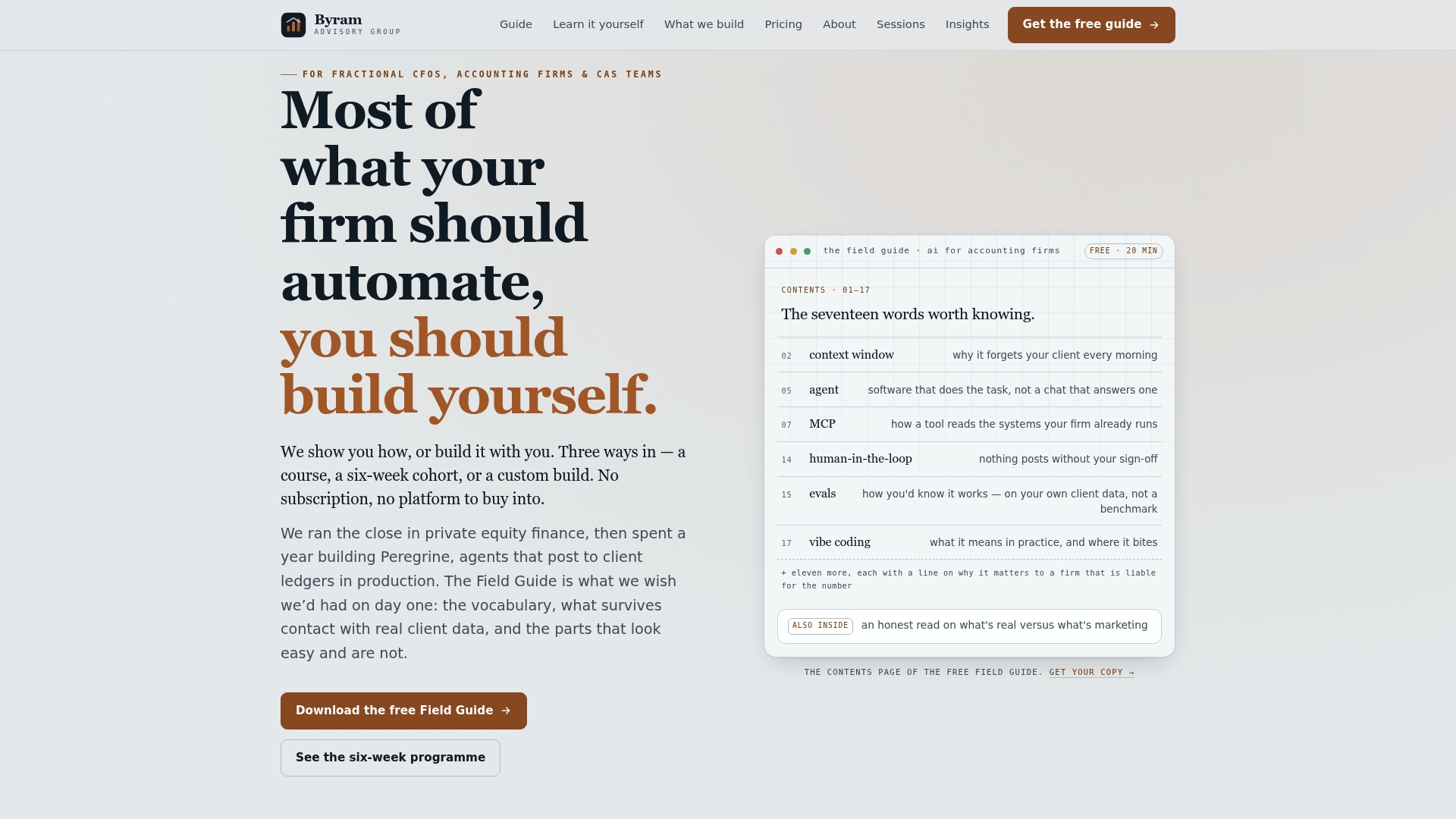
Start with the Field Guide to AI for Accounting Firms, a free walkthrough of which close tasks to automate first and how to sequence the build. If you'd rather learn by doing, the DIY implementation course covers the same ground with hands-on templates for $500. And if you want the automation built for you, directly connected to your existing QuickBooks setup through Peregrine, visit Byram Advisory to see how the platform handles reconciliations, recurring entries, and evidence capture without adding headcount. Book a discovery call to map your current close against the 5-day model and find out where automation actually moves the timeline.
This article is general information, not a substitute for advice from a qualified financial advisor. Consult a qualified financial professional about your own circumstances before acting on anything here.
Sources
- Month-End Close Timeline: 5 Days or Less — Etisson
- Month-End Excel Close Calendar Template with Dependencies — Glencoyne
- How to build a month-end close calendar that does not slip — dypt
- Month-end close checklist — Finance Alliance