

Intercompany eliminations remove transactions between related entities so a consolidated financial statement reflects only activity with outside parties. QuickBooks handles this two ways: Intuit Enterprise Suite's Multi-Entity Hub can automate eliminations for accounts used exclusively between related companies, while QuickBooks Desktop and Spreadsheet Sync require manual matching and adjustment. Your immediate move is to open your chart of accounts, confirm which balances are flagged as intercompany, and run a consolidated report to see what still needs manual review.
TL;DR:
- Automated elimination in QuickBooks Enterprise Suite fully offsets intercompany-only accounts, reducing manual work but requiring correct account designation.
- Manual adjustments or spreadsheet reconsolidations are still necessary for accounts that include mixed-use transactions or are not automated.
- Proper month-end workflow involves identifying all intercompany transactions, reconciling balances at the transaction level, and verifying zero net results before closing books.
- Common errors such as one-sided entries, inconsistent naming, or missing documentation can undermine reconciliation accuracy, emphasizing the importance of standard policies.
- Combining automation with strict manual review processes ensures the elimination accuracy required for audit compliance and GAAP reporting.
Table of Contents
- What Are Intercompany Eliminations and Why Do They Matter?
- QuickBooks Options for Multi-Entity Eliminations
- The Month-End Elimination Workflow, Step by Step
- Setting Up Automated Eliminations in Intuit Enterprise Suite
- The Due To / Due From Method for Spreadsheet Consolidation
- Common Elimination Mistakes and How to Prevent Them
- What to Automate and What to Keep Human-Reviewed
- A 90-Day Roadmap for Fixing Elimination Chaos
- Automate Eliminations Without Losing Control of the Close
- Where to Verify This Information
- Sources
- FAQ
What Are Intercompany Eliminations and Why Do They Matter?
Eliminations strip out transactions that happen between entities under common ownership, so a parent company's consolidated books show only revenue, expense, and balances tied to outside customers and vendors. GAAP guidance requires this at consolidation, because leaving intercompany activity in place overstates group results and misleads anyone reading the numbers, from lenders to auditors to your own leadership team.
Skip an elimination and the distortions compound fast. A management fee billed from a parent to a subsidiary inflates revenue at one entity and expense at the other, even though no outside money changed hands. Unpaid intercompany invoices show up as receivables on one entity's books and payables on another, doubling liabilities that should net to zero at the consolidated level. Inventory sold between entities but not yet resold outside the group creates unrealized profit that has to come back out.
The accounts that typically require elimination include:
- Intercompany revenue and the matching intercompany expense or cost of goods sold
- Intercompany accounts receivable and accounts payable
- Intercompany loans, notes, and related interest income or expense
- Investment in subsidiary and the corresponding equity accounts
- Unrealized profit sitting in intercompany inventory transfers
QuickBooks Options for Multi-Entity Eliminations
Which QuickBooks setup you use depends heavily on which product you're running. Intuit Enterprise Suite's Multi-Entity Hub lets you designate specific accounts as intercompany-only, and it will automatically eliminate the full balance on those accounts when you run a consolidated report. That's the closest thing to hands-off eliminations QuickBooks offers today.
QuickBooks Desktop Enterprise takes a different approach. Its Intercompany Transactions feature links separate company files directly, so when one entity creates a bill or check tied to another, the system posts mirrored entries automatically once the relationship is approved. It's narrower than Enterprise Suite's hub but useful if you're not ready to migrate.
Everything else falls to Spreadsheet Sync or manual journal entries:
- Accounts not used exclusively for intercompany activity need manual adjustment through Spreadsheet Sync, and those adjustments don't post back into QuickBooks automatically
- QuickBooks Online has no built-in one-click consolidation, so many teams still maintain separate files and consolidate outside the platform
- Manual Eliminations access should be restricted to controllers or senior accountants, and admin permissions should be reviewed at least quarterly
The Month-End Elimination Workflow, Step by Step
Whether you're running Intuit Enterprise Suite or a spreadsheet consolidation, the underlying workflow is the same four steps. Skipping the order, not the steps, is what usually causes the close to slip.
- Identify every intercompany transaction. Pull invoices, bills, journal entries, and cost allocations across all entities for the period. Anything billed, transferred, or allocated between related companies belongs on this list, not just the obvious intercompany invoices.
- Match and reconcile balances. Every Due To account at one entity should have an equal and opposite Due From account at the other. Reconcile at the transaction level, not just the total, so a $12,000 mismatch doesn't hide two offsetting errors of $6,000 each.
- Prepare and post elimination entries. In Enterprise Suite, this means confirming the auto-eliminated accounts picked up the right balances. In Desktop or a spreadsheet model, it means drafting the journal entry yourself, debiting intercompany revenue and crediting intercompany expense (or the reverse), and zeroing out the matched receivable and payable.
- Verify before you close the books. Review the transaction journal for each elimination, confirm the consolidated total nets to zero on intercompany lines, and save the supporting detail somewhere an auditor can find it later.
Pro Tip: Even when Intuit Enterprise Suite prefills an elimination amount, don't approve it blind. A controller should eyeball every prefilled figure against the underlying transaction detail before it saves, because automated matching still needs a human check to stay audit defensible.
Setting Up Automated Eliminations in Intuit Enterprise Suite
Getting the Multi-Entity Hub to do the heavy lifting starts in the settings, not in the transaction screens. You select which accounts count as intercompany from the parent company's Multi-Entity settings, and from that point forward, any account marked as intercompany-only gets fully eliminated whenever you generate a consolidated report.
The catch is that not every account fits neatly into "intercompany-only." A shared expense account that sometimes carries outside vendor costs and sometimes carries intercompany allocations won't auto-eliminate cleanly. For those, Spreadsheet Sync is the workaround.
- Build a multi-company report inside Spreadsheet Sync that pulls each entity's trial balance into its own column
- Add an Eliminations column where you manually enter the offsetting adjustment for mixed-use accounts
- Let the sheet calculate a Consolidated Total column that nets everything out
- Save the workbook itself as your documentation, since these adjustments never write back into QuickBooks
Pro Tip: Add a standing month-end step where you download the Spreadsheet Sync report and compare it line by line against what the Multi-Entity Hub auto-eliminated. This is where edge cases hide, usually in accounts you assumed were intercompany-only but weren't.
When neither automation path covers a transaction, cleanly, you're back to a manual journal entry, dated and documented with the source invoice or agreement attached in QuickBooks so the paper trail survives an audit request.
The Due To / Due From Method for Spreadsheet Consolidation
For firms not on Intuit Enterprise Suite, the Due To / Due From method remains the workhorse. It's compliant with US GAAP when applied consistently at consolidation, and it scales well for early-stage multi-entity groups that don't yet need full platform automation.
- Create mirrored accounts in each entity's chart of accounts. Entity A gets a "Due From Entity B" asset account; Entity B gets a matching "Due To Entity A" liability account, named consistently so automated matching tools (or a sharp-eyed reviewer) can pair them instantly.
- Lay out your consolidation spreadsheet with a column per entity, an Eliminations column, and a Consolidated Total column that sums across the row.
- Post the elimination entries. If Entity A sold $40,000 in services to Entity B, both the $40,000 revenue at Entity A and the $40,000 expense at Entity B get a matching negative in the Eliminations column, netting to zero. Unrealized profit on intercompany inventory gets the same treatment.
- Reconcile monthly, not quarterly. Due To and Due From balances should be equal and opposite every period; if they're not, the gap almost always traces back to a transaction posted at one entity and never mirrored at the other.
Common Elimination Mistakes and How to Prevent Them
Most elimination errors trace back to the same handful of causes, and they show up more often in fast-growing entity groups than in stable ones. One-sided entries, where someone posts the transaction at one entity and forgets the mirror at the other, top the list. Inconsistent account naming across entities is a close second, since it breaks the pattern-matching that both automated tools and human reviewers rely on. Foreign-currency timing differences and missing supporting documentation round out the usual suspects.
The fix is procedural, not technical:
- Standardize intercompany policies, including pricing methodology, before you automate anything, since undocumented pricing creates exceptions that automation can't resolve on its own
- Keep a single, consistent chart of accounts structure across every entity
- Require a documented approval step for any intercompany transaction over a set dollar threshold
- Reconcile Due To / Due From balances monthly, tied to the same close calendar as everything else
Pro Tip: Restrict Manual Eliminations access to two or three people at most, and require a second signoff on any manual journal entry over your materiality threshold. Loose access is the single fastest way to lose your audit trail.
What to Automate and What to Keep Human-Reviewed
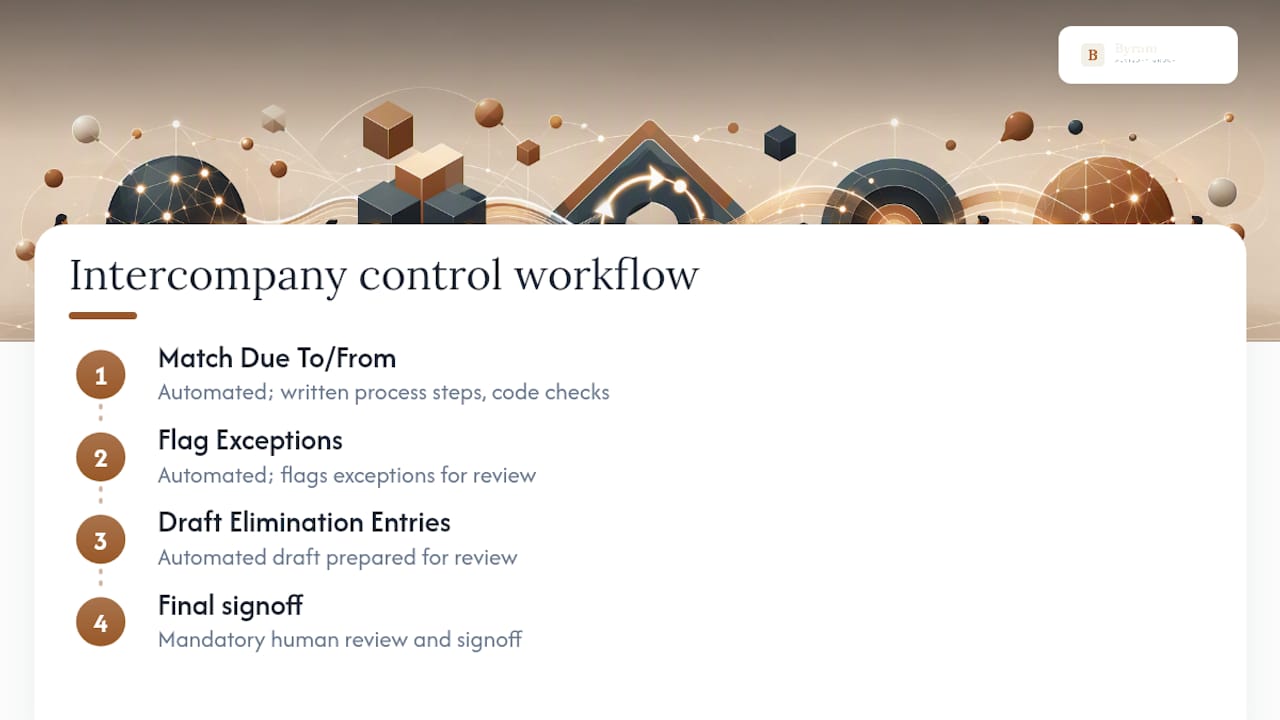
Automation earns its keep on matching Due To / Due From pairs, flagging exceptions, and drafting elimination entries for review. What it shouldn't touch unsupervised is the final signoff. Byram Advisory Group builds automation around written process steps, code-level checks, and mandatory human review, so the output stays defensible when an auditor asks how a number was produced. The Field Guide to AI for Accounting Firms walks through exactly where that line belongs.
A 90-Day Roadmap for Fixing Elimination Chaos
Start with chart-of-accounts cleanup and consistent naming, then formalize your elimination accounts and written policies, then layer in automated matching with mandatory signoff. If reconciliation gaps persist past month two, or audit queries keep hitting the same accounts, that's your signal to bring in outside help rather than keep patching it yourself.
— Owen
Automate Eliminations Without Losing Control of the Close
Most firms fixing intercompany eliminations face a choice between two rough options: bolt together spreadsheets and hope naming conventions hold, or pay for a full platform migration and cross your fingers on setup. Byram-advisory built a third path: automation that plugs into the QuickBooks setup you already run, with every elimination draft passing through written process steps and a human signoff before it posts.
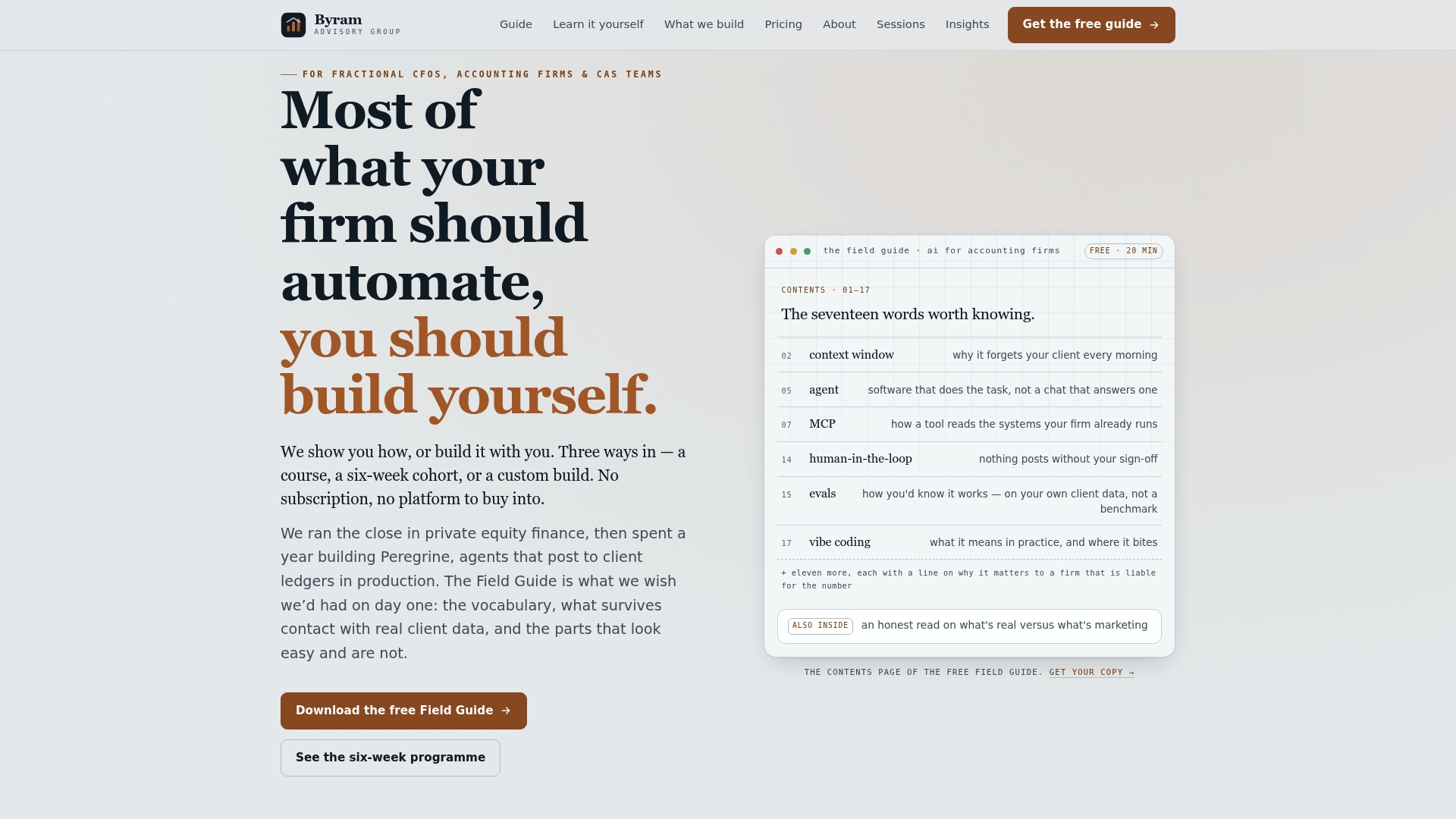
If your team needs eliminations fixed fast, The Sprint is a focused engagement built to automate intercompany matching and get your Due To / Due From accounts reconciling cleanly within weeks, not quarters. Teams that want their staff trained on the process itself, not just the output, should look at The Bootcamp for hands-on implementation. Either way, delivered code and process documentation enable the system to keep running long after the engagement ends. Start by downloading the Field Guide to see where your current process leaves gaps.
Where to Verify This Information
For the procedures covered here, go straight to the source rather than a secondhand summary:
- Intuit's own guide to Enterprise Suite eliminations covers setup and Spreadsheet Sync in full detail
- The QuickBooks Desktop intercompany transactions article walks through linking company files step by step
Sources
- How intercompany eliminations work in Intuit Enterprise Suite
- Create transactions between different company files in QuickBooks Desktop Enterprise
FAQ
How Do You Handle Intercompany Eliminations?
You identify every transaction between related entities, reconcile the Due To and Due From balances against each other, then post an elimination entry that zeroes out the intercompany revenue, expense, receivable, or payable. In Intuit Enterprise Suite, accounts marked as intercompany-only get eliminated automatically; everything else needs a manual journal entry or a Spreadsheet Sync adjustment.
Which Intercompany Transactions Should Be Eliminated?
Any transaction that happens between entities under common ownership, including intercompany sales and the matching expense, intercompany loans and interest, receivables and payables between entities, and unrealized profit sitting in inventory that hasn't sold outside the group. Investment-in-subsidiary and equity accounts get eliminated too, since they represent ownership within the group rather than outside activity.
What Are Intercompany Eliminations in Accounting?
They're the adjustments made during consolidation that remove transactions between related entities so a consolidated statement reflects only activity with outside parties. GAAP requires these adjustments because leaving intercompany activity in place overstates the group's true financial position.
How Can I Manage Intercompany Transactions in QuickBooks?
Intuit Enterprise Suite's Multi-Entity Hub automates much of it if your intercompany accounts are set up correctly, while QuickBooks Desktop's Intercompany Transactions feature links company files and posts mirrored entries when you approve a transaction. For anything automation doesn't cover, most teams still fall back to a spreadsheet consolidation using mirrored Due To / Due From accounts, an approach Byram Advisory can help automate through The Sprint without giving up the human review step auditors expect to see.