

Most routine month-end close tasks can be automated today, and doing so typically cuts days off the close while freeing staff for judgment work instead of data-chasing. The tasks with the fastest payoff: transaction matching, bank reconciliations, recurring journals, intercompany matching, accrual detection, and close checklist orchestration.
- Transaction matching — rules-based systems clear the routine matches; people handle exceptions.
- Bank reconciliations — daily feeds mean the reconciliation is mostly done before day one of close.
- Recurring journals — templated entries post themselves on schedule.
- Intercompany matching — mismatches surface automatically instead of during a fire drill.
- Accrual detection — patterns from prior periods draft the entry for review.
- Close checklist orchestration — tasks route and escalate without a manager chasing status updates.
The fastest way to find out if this works for your team: run a two-week pilot on one bank reconciliation, one recurring journal entry, and one subledger tie-out. Measure days saved before you commit to anything bigger.
Key Takeaways
Month-end close automation works when it's applied to a documented process, targeted at high-volume low-judgment tasks first, and paired with clear approval controls that keep the close auditable.
| Point | Details |
|---|---|
| Fix process before automating | Document and standardize close tasks first; automation scales whatever process it's given, good or bad. |
| Pilot small, measure hard | Test on one bank reconciliation, one recurring journal, and one subledger tie before scaling. |
| Track the right KPIs | Days to close, hours per cycle, auto-match rate, and exceptions per period prove ROI. |
| Protect segregation of duties | Whoever configures matching rules shouldn't also approve the journals those rules generate. |
| Consider a ledger-embedded build | Byram Advisory builds automation directly into QuickBooks workflows via Peregrine, with a Field Guide and DIY course for teams starting the process themselves. |
Table of Contents
- Business Value and KPIs From Month End Close Automation
- What Month-End Tasks Should You Automate First?
- How Does Month-End Close Automation Actually Work?
- What Does a Month-End Automation Rollout Actually Look Like?
- How Do You Keep an Automated Close Auditable?
- Should You Build or Buy Your Close Automation?
- Byram Advisory's Approach to Month-End Automation
- Compliance Considerations for Automated Month-End Close
- Get Hands-On Help Automating Your Close
- Frequently Asked Questions
- Sources
Business Value and KPIs From Month End Close Automation
The case for automating month-end close comes down to four things: fewer manual hours, a shorter close cycle, fewer posting errors, and stronger audit evidence. None of those are abstract. A controller who used to spend three days chasing reconciliations can usually get that down to hours once matching runs continuously through the month instead of piling up at close.
Teams with documented, standardized close processes can reach a short close calendar, according to Onetribe's close maturity research, which maps close performance across four maturity phases. That kind of speed isn't the automation talking. It's what happens when automation runs on top of a process that was already sound.
Track these KPIs to know if automation is actually working:
- Days to close (calendar days from period end to final books)
- Hours spent per close cycle
- Percentage of reconciliations auto-matched
- Number of exceptions per period
- Audit adjustments post-close
- Time to generate the full close package
Pro Tip: Baseline every KPI before you automate anything. Without a "before" number, you can't prove ROI to a partner or a board, no matter how much faster the close feels.
A firm running ten client entities at 20 hours of manual close work each, cut to 8 hours through automation, frees roughly 120 hours a month. At a loaded rate of $60 an hour, that's real capacity redirected to advisory work instead of data entry.
What Month-End Tasks Should You Automate First?
Not every task belongs on the automation list on day one. Start with the ones that are high volume, rules-based, and low judgment. Here's the order that tends to work:
- Bank reconciliation and transaction matching. Rules engines clear the majority of transactions automatically in mature setups, leaving only genuine anomalies for review. Caveat: dirty bank feed data or inconsistent memo fields will tank your match rate fast.
- Subledger-to-GL tie-out. Automated ties catch breaks the same day they occur, instead of at month-end. Caveat: this only works if your chart of accounts mapping is clean.
- Recurring journal generation and posting. Templated entries (rent, depreciation, prepaid amortization) post on schedule with zero manual entry. Caveat: someone still needs to approve before posting, or you lose your segregation of duties.
- Accrual identification and JE drafting. Pattern-matching against prior periods drafts accrual entries for review rather than from scratch. Caveat: new vendors or one-time expenses won't have a pattern to draw from.
- Intercompany matching and elimination drafts. Cross-entity mismatches get flagged in real time instead of during a scramble on day three of close.
- Variance and flux analysis with draft commentary. Automated flux reports generate the numbers; someone still writes the "why."
- Close checklist orchestration and approvals. Task routing and status tracking replace the spreadsheet that everyone forgets to update.
- Close package assembly. Trial balance, reconciliations, and supporting schedules compile automatically once the upstream tasks are clean.
Pro Tip: Set materiality thresholds before you turn anything on. If every $12 variance triggers a review, your team will ignore the exception queue within a week. Route only items above your threshold, and let the small stuff clear itself.
How Does Month-End Close Automation Actually Work?
Automation depends on connecting the right data sources: your ERP trial balance, subledgers (AP, AR, fixed assets), bank feeds, payroll exports, and yes, the stray spreadsheets that somehow still run half your close. If any of these live in a system that can't feed data automatically, that task stays manual no matter what software you buy.
Once connected, automation runs through a few distinct layers:
- Ingestion — pulling data from each source on a schedule
- Normalization and mapping — matching account codes, vendor names, and formats across systems
- Rule-based matching — clearing transactions that meet defined criteria
- Confidence scoring — flagging matches the system isn't sure about for human review
- Exception routing — sending only genuine judgment calls to the right person
- Journal drafting and approval — proposing entries that still require sign-off before posting
- Audit trail logging — recording every action, automated or human, with a timestamp
| Layer | What it does | Who's involved |
|---|---|---|
| Ingestion | Pulls trial balance, bank, and subledger data on schedule | Automation platform |
| Matching and scoring | Clears routine items, flags low-confidence matches | Automation platform |
| Exception review | Resolves flagged items requiring judgment | Staff accountant / senior accountant |
| Approval and posting | Signs off on drafted journals before they hit the GL | Controller / assistant controller |
Nobody should be able to post a journal entry without a human approval step, and every change needs an immutable log. That's not optional. That's what makes the automated close defensible to an auditor.
What Does a Month-End Automation Rollout Actually Look Like?
Rolling out automation works best in five phases, and skipping ahead is the single most common way teams sabotage themselves.
| Phase | What happens | Typical duration |
|---|---|---|
| Prepare | Map processes, assess data readiness, document current-state close | 2 to 4 weeks |
| Pilot | Automate 1 to 3 tasks, measure against baseline KPIs | 2 to 4 weeks |
| Scale | Expand to more accounts, entities, and task types | 1 to 3 months |
| Optimize | Tune matching rules, thresholds, and SLAs | Ongoing |
| Maintain | Monitor exception rates, refresh mappings as systems change | Ongoing |

A pilot only works if you pick the right candidate. Look for a task with clean source data, a well-defined manual process (not a task three people do three different ways), a measurable baseline KPI, and an executive sponsor who'll actually look at the results.
Roles matter more than most teams expect going in:
- Controller or assistant controller owns rule configuration and threshold decisions.
- Senior accountant approves drafted journals before posting.
- Staff accountant resolves flagged exceptions and researches anomalies.
- CFO or firm owner measures ROI against the original baseline and decides on scale-up timing.
Change management isn't a footnote here. Staff who spent years owning the reconciliation spreadsheet need a real transition plan, not a surprise memo that their job just changed. Build in a short training cadence, monthly at first, dropping to quarterly once the new process sticks.
How Do You Keep an Automated Close Auditable?
Automating a close doesn't mean loosening controls. It should tighten them, but only if you build the controls in from the start rather than bolting them on after something breaks.
A workable controls checklist includes approval gates before any journal posts, segregation of duties between whoever configures the rules and whoever approves entries, an immutable audit trail for every automated action, formal reconciliation sign-offs, and a period lock procedure that prevents backdated changes once books close.
The pitfalls tend to repeat across firms:
- Automating a broken process. If three people do the bank rec three different ways today, automation just picks one wrong way and does it faster.
- Weak data mappings. A mismatched chart of accounts produces confident, wrong matches. Fix mapping before go-live, not after.
- No materiality thresholds. Without them, every tiny variance becomes a ticket, and staff start ignoring the queue entirely.
- No exception SLAs. Flagged items pile up if nobody owns clearing them within a defined window.
- Skipping user acceptance testing. Run a full close cycle in parallel with the old process before you cut over completely.
Ventana Research's analysis of close best practices makes the point plainly:
Automation should accelerate a process that's already documented and standardized. Applying automation to inconsistent, undocumented tasks just scales the inconsistency faster.
Should You Build or Buy Your Close Automation?
The decision comes down to six factors: time to value, how many systems you need to integrate, how much customization your close actually requires, your team's technical skills, total cost of ownership, and how well a solution supports audit and compliance documentation.
Whatever you're evaluating, check it against this capability list:
- Data connectors for your ERP, bank feeds, and subledgers
- Auto-matching rates with visible confidence scoring
- Journal automation with a drafting and approval workflow
- Exception management with configurable routing rules
- Approval workflows that preserve segregation of duties
- An audit trail that satisfies external reviewers
- Support for multi-currency and multi-entity intercompany matching
On total cost of ownership: a firm evaluating a platform needs to account for setup and data mapping (often the biggest hidden cost), monthly or per-entity licensing, and ongoing maintenance as account structures or bank connections change. A tool that looks cheap on the license line can cost more once you factor in months of configuration work.
- If your close needs are standard and your team has no build capacity, a vendor platform with strong connectors gets you to value fastest.
- If your firm serves multiple clients with different charts of accounts and workflows, a custom, ledger-embedded build gives you control a generic tool can't match, which is the approach Byram Advisory takes with fractional CFOs and accounting teams.
Byram Advisory's Approach to Month-End Automation
Byram Advisory builds automation directly into the ledger workflow rather than layering a separate reconciliation tool on top of QuickBooks. The process starts with mapping the client's actual close tasks, then applying agentic automation to the highest-volume, lowest-judgment items first, and running an iterative pilot before anything touches production data.
Peregrine, Byram Advisory's integration point for QuickBooks-based workflows, handles the connection between subledgers, bank feeds, and the general ledger so matching and reconciliation run continuously rather than in a once-a-month scramble.
- Process mapping before any automation configuration begins
- Agentic automation embedded in the ledger, not bolted on
- A short pilot period with measured baseline comparison
- Training and knowledge transfer so the client team owns the process afterward
A close automation build only earns its keep when the firm's own team can run it without a consultant on speed dial six months later.
Firms wanting a structured starting point can pull the free Field Guide to AI for Accounting Firms before committing to any engagement.
Compliance Considerations for Automated Month-End Close
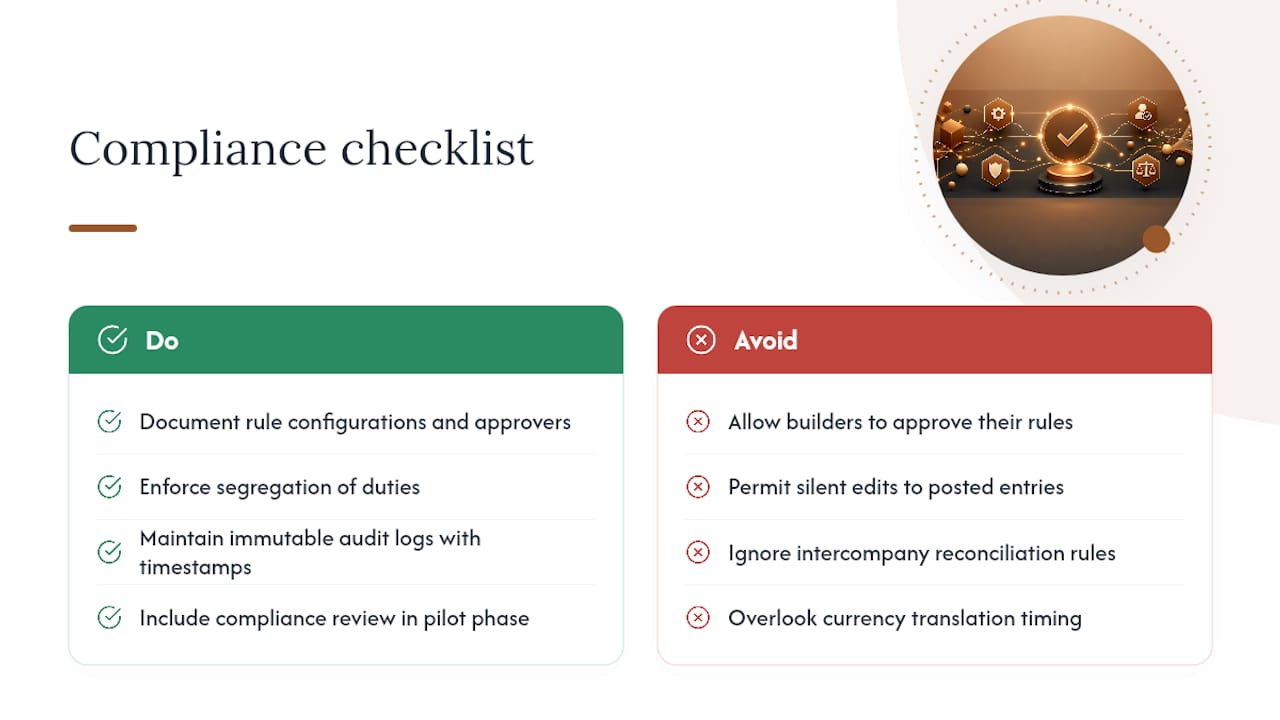
Automating the close doesn't remove the compliance obligations tied to it. It changes where the risk sits. When journals draft and post with less human touch, auditors want to see exactly who configured the rules, who approved each entry, and whether that separation held up every period, not just the one they're sampling.
Segregation of duties gets scrutinized harder in an automated environment, not less. If the same person who built the matching rules can also approve the journal entries those rules generate, that's a control gap regardless of how accurate the automation turns out to be. External auditors and, for public companies, Sarbanes-Oxley requirements expect a documented approval chain that survives a walkthrough.
Data retention matters too. An immutable audit log needs to capture every automated action alongside every human override, with timestamps that hold up under review. If your system lets someone quietly edit a posted entry without a trace, you've built a bigger audit problem than the one automation was supposed to solve.
Multi-entity and multi-currency close automation adds another layer: intercompany eliminations need to reconcile under whatever consolidation rules apply to your reporting structure, and automated matching that ignores currency translation timing will create discrepancies that look like fraud risk even when they're just a timing issue. Build the compliance review into your pilot phase, not as a fix after go-live.
A Straight Recommendation for Finance Leaders
Fix your process before you automate it. Run a short pilot on one or two low-risk, high-volume tasks, protect your approval controls the whole way through, and let the controller or CFO own the rollout. Expect a usable read on ROI within one full close cycle.
Get Hands-On Help Automating Your Close
If your team has already looked at generic close software and found the mapping work and per-seat licensing add up fast, there's a different route: build the automation directly into the workflow you already run in QuickBooks, with a firm that's done it for other fractional CFOs and accounting teams.
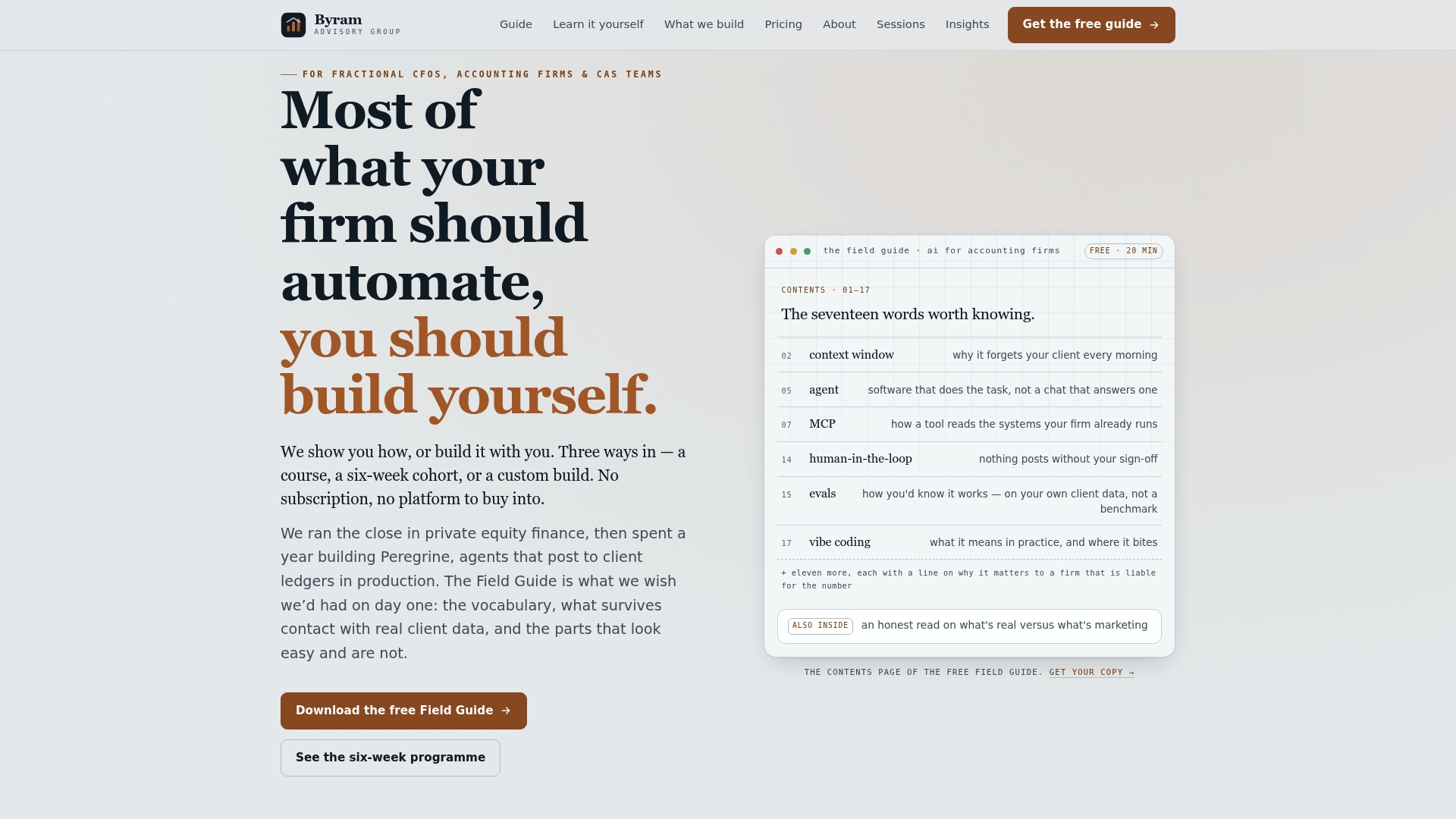
Byram Advisory offers two starting points depending on how hands-on you want to be. Firms that want a guided build can start with a pilot review of their close process and a data readiness assessment against Byram Advisory's build-first approach. Firms that prefer to implement internally can work through the DIY AI Implementation Course, a self-paced $500 program that walks your team through the same automation logic Byram Advisory uses on client builds. Either way, start with the free Field Guide to see what a mapped, automatable close actually looks like before you commit to anything.
Frequently Asked Questions
Can you fully automate month-end close? Not entirely, and you shouldn't try. Routine tasks like matching and recurring journals automate well; variance explanations, judgment accruals, and final review stay human.
How long does it take to automate month-end close? A focused pilot on one to three tasks typically shows results within two to four weeks. Full-scale rollout across all entities usually takes one to three months after that.
What's the biggest risk in automating the close? Automating a process that was never standardized. If the manual process was inconsistent, automation just makes the inconsistency faster and harder to catch.
Do I need a big system overhaul to start? No. Most teams start with a pilot connecting existing tools like QuickBooks, bank feeds, and one subledger, then expand once the pilot proves out.
Sources
- Month‑End Close Best Practices — From reporting deadline to governance checkpoint | Onetribe
- Ventana Research perspective: Best practices for a more effective close (PDF)