

QuickBooks Projects (available on Plus, Advanced, and through the Intuit Enterprise Suite) can show accurate project-level profit, but only if you enable it, tag every transaction to the right job, enter item costs, and pick a labor-costing method before you trust the numbers. Skip any one of those steps and the profitability figure QuickBooks hands you is fiction. Get them right, and you can see margin, unbilled costs, and pricing accuracy on a single screen, then run the Project Profitability and Estimates vs. Actuals reports to confirm you're bidding jobs correctly.
TL;DR:
- Proper project profitability tracking requires strict discipline, including tagging every transaction and updating item costs quarterly to ensure accurate margins.
- Using hourly labor estimates for regular monitoring and reconciling with payroll expenses after each pay cycle prevents misdiagnosed job profitability.
- Running key reports like Project Profitability, Estimates vs. Actuals, and Unbilled Costs helps identify cost leaks, pricing inaccuracies, or unrecovered expenses.
- Common setup errors, such as untagged transactions and outdated item costs, are the main causes of misleading profitability figures and should be addressed first.
- Automated tagging and data reconciliation tools can support discipline, but only after teams establish consistent transaction entry habits and proper process routines.
Table of Contents
- What QuickBooks Project Analysis Actually Tracks
- How Do You Set Up QuickBooks Projects Correctly?
- How Do You Track Labor Costs by Project?
- Which QuickBooks Reports Show Project Profitability?
- Common Setup Mistakes That Wreck Your Numbers
- When Do You Need More Than QuickBooks Projects?
- Why Discipline Beats Software Every Time
- Get Reliable Project Reporting Without the Manual Cleanup
- Sources
- FAQ
What QuickBooks Project Analysis Actually Tracks
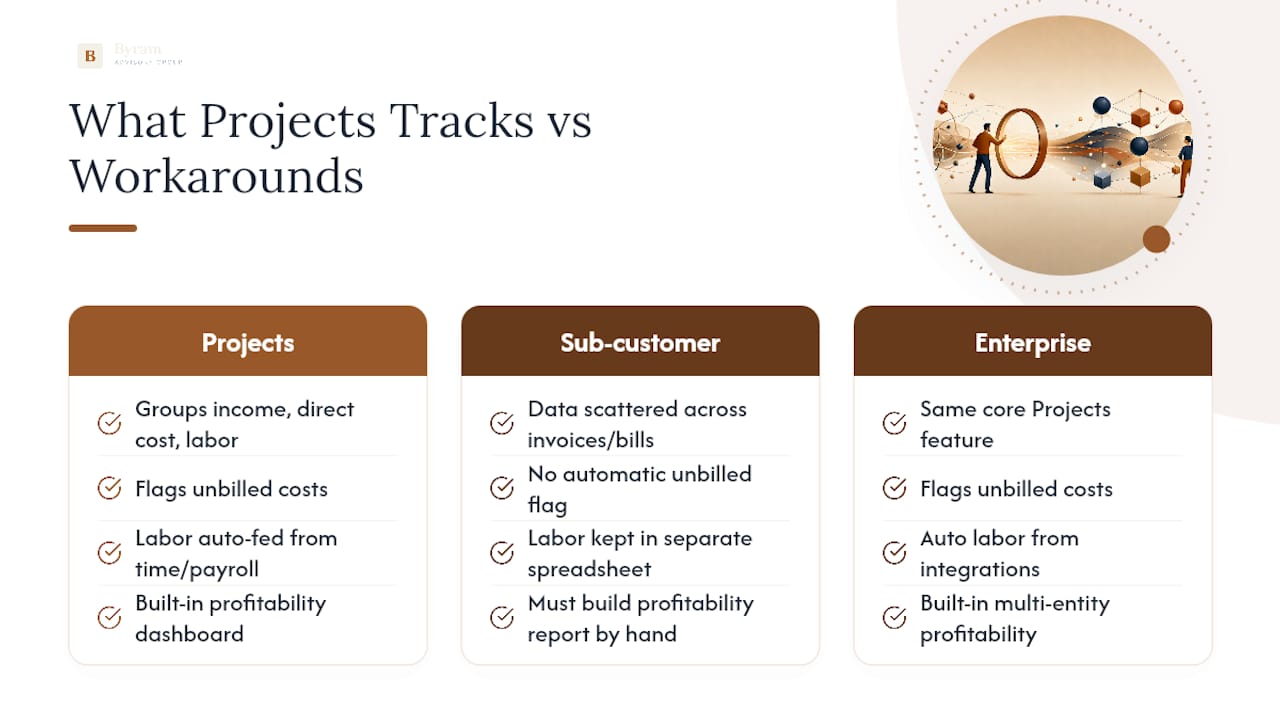
QuickBooks Online Projects groups every dollar of income, direct cost, and labor tied to a job into one dashboard, so a project's actual margin sits in one place instead of scattered across invoices and bills. The dashboard also flags unbilled costs, meaning expenses you've already paid but haven't invoiced back to the client yet.
Projects is available on QuickBooks Online Plus and Advanced, and larger operations running the Intuit Enterprise Suite get the same core feature with more room for multiple entities and users. If you're still coding jobs through sub-customers or classes, a workaround that predates the Projects feature, it's worth migrating. Sub-customer tracking technically works, but it forces you to build your own profitability report by hand instead of pulling one that already exists. Time-tracking and payroll integrations feed directly into Projects once it's turned on, which is where labor costs start showing up on the job level automatically instead of living in a separate spreadsheet.
How Do You Set Up QuickBooks Projects Correctly?
Turning on Projects takes seconds. Making the numbers trustworthy takes discipline. Here's the sequence that actually works:
- Enable Projects in your QuickBooks Online settings, then create a project and link it to the correct customer.
- Enter both a sales price and a cost for every item in Products & Services. Without a cost entered, QuickBooks can't calculate a margin no matter how well you tag transactions.
- Tag every bill, expense, check, invoice, and timesheet with the Customer/Project field at the moment you enter it, not later.
- Mark expenses as billable when they should be passed through to the client, so they surface correctly on the Unbilled Costs report.
- Assign one person to review project tagging weekly and give your team a five-minute training session on where the Customer/Project field lives on each form.
Pro Tip: Build a recurring calendar reminder to check the Unbilled Costs report every Friday. Costs that sit unbilled for more than two weeks are usually margin you'll never recover, because clients push back harder the longer an invoice lags behind the work.
How Do You Track Labor Costs by Project?
QuickBooks gives you two ways to get labor onto a project's books: estimated hourly costs or actual payroll expenses. Hourly cost rates let you see labor show up on project reports the moment a timesheet is entered, before payroll even runs. Payroll expenses reflect actual wages and payroll taxes, but they only post after a pay run closes, which means labor costs can look artificially low mid pay period if you're relying on that toggle alone.
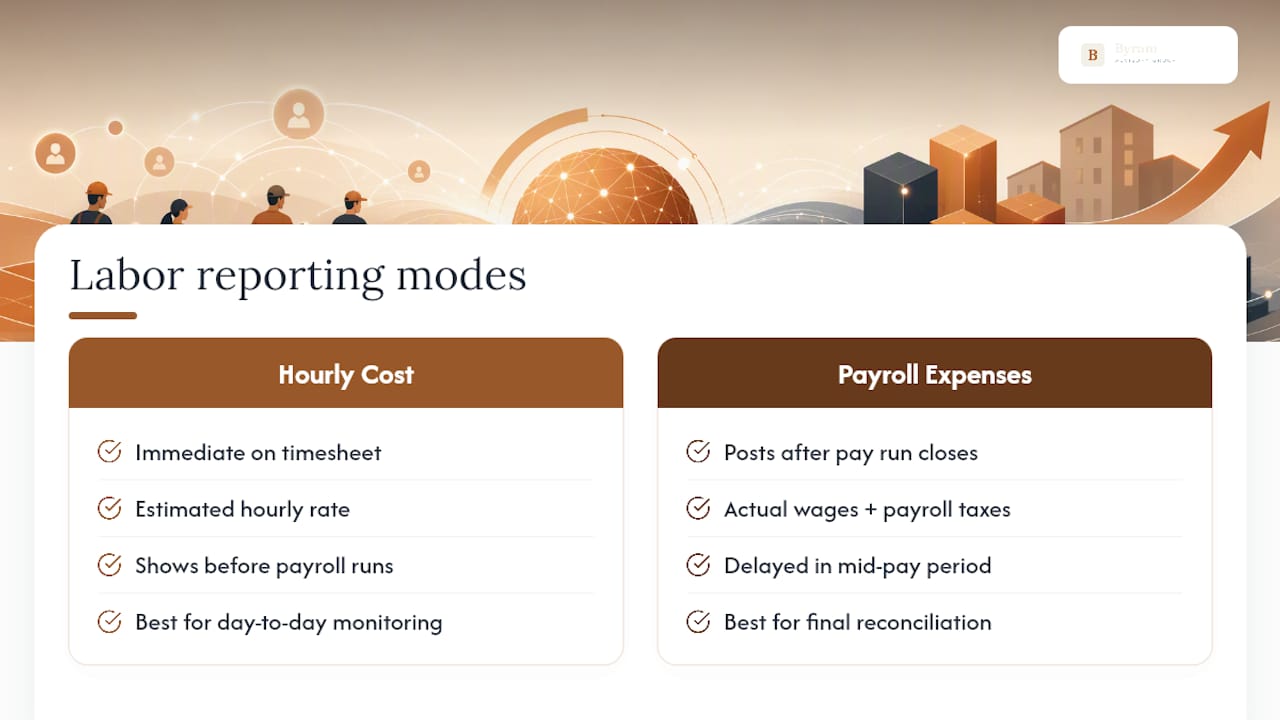
The fix isn't choosing one over the other. It's knowing which one you're looking at. Report settings let you toggle between "Hourly Cost Rate" and "Payroll Expenses" as the labor source, and pulling up a project report without checking that setting is one of the fastest ways to misdiagnose a job as profitable when it isn't. The practical routine: use hourly estimates for day-to-day monitoring while a job is active, then reconcile against actual payroll figures once each pay run closes. That two-step habit catches labor cost drift before it becomes a client invoice problem.
Which QuickBooks Reports Show Project Profitability?
Four reports do most of the work once Projects is set up correctly:
- Project Profitability report: aggregates income, costs, and labor by job into a single profit figure. Found under Reports, filtered by project. A red flag here is a shrinking margin on a job that hasn't changed scope, which usually means costs are leaking somewhere untagged.
- Estimates vs. Actuals report: available in QuickBooks Online Advanced and Intuit Enterprise Suite, it compares what you bid against what a job actually cost. Run this after every closed project to sharpen your next bid.
- Unbilled Costs by Job: shows recoverable expenses sitting on your books that haven't hit an invoice yet. This one has a direct cash-flow impact, since unbilled costs are money you've spent but haven't collected.
- P&L by Customer/Project: rolls individual project performance up by class or location, which is the view owners use to decide which service lines or regions actually make money.
QuickBooks Online Advanced also organizes these into a dedicated set of project reports built for job-level analysis, which is worth checking if you're currently piecing this together manually.
Common Setup Mistakes That Wreck Your Numbers
Most bad project profitability numbers trace back to five repeat offenders. Fix these before you question the software.
- Untagged transactions. A bill entered without a Customer/Project field vanishes from job costing entirely. Transactional discipline at the point of entry is the single biggest lever on report accuracy.
- Missing or stale item costs. Update Products & Services costs quarterly, since material and subcontractor prices move faster than most people update their books.
- Overhead misallocation. General office rent or admin salaries have no business sitting on a project tag. Keep overhead out of job costing or it distorts every margin you look at.
- Wrong labor toggle. Verify whether a report is pulling Hourly Cost Rate or Payroll Expenses before you draw a conclusion from it.
- No reconciliation routine. Run a weekly query for untagged transactions and reassign them before they pile up.
Pro Tip: Assign one owner to sign off on the untagged-transactions list every week. A control nobody owns quietly stops happening within a month.
When Do You Need More Than QuickBooks Projects?
Most firms overestimate how much they need beyond what's already built into QuickBooks. In most cases, QuickBooks Online Projects covers the job-costing basics once item costs and tagging are handled correctly, and buying a specialized system doesn't fix a discipline problem.
The real triggers for outgrowing native Projects are specific: complex multi-tier cost codes, progress billing on long contracts, or a reconciliation workload that's eating hours every week no matter how disciplined your team is. If you're hitting those walls, the smarter next step usually isn't a new platform. It's automating the data hygiene work, standardized tagging, cost updates, error flagging, so your team's time goes toward decisions instead of cleanup. Fix the setup, automate the integrity checks, and only evaluate specialized job-costing software if you still hit a ceiling after that.
Why Discipline Beats Software Every Time
The firms getting clean project profitability numbers out of QuickBooks aren't the ones with the fanciest setup. They're the ones who entered item costs correctly on day one and tagged every transaction without exception. That habit alone solves more profitability confusion than any software purchase.
Automation earns its place once the discipline exists, not as a substitute for it. Byram Advisory's work with fractional CFOs and accounting teams starts from that same premise: automate the repetitive tagging and reconciliation work so the discipline holds even when nobody's watching. Before rolling any control out firm-wide, pilot it on one active project first.
— Owen
Get Reliable Project Reporting Without the Manual Cleanup
Fixing QuickBooks tagging discipline by hand works, but it takes ongoing hours every single week, hours most firms would rather spend on client advisory work than data policing. One approach to this gap is automated tagging, cleaned data feeds, and QuickBooks-integrated reporting that catches an untagged bill or a stale item cost before it ever reaches a project report.
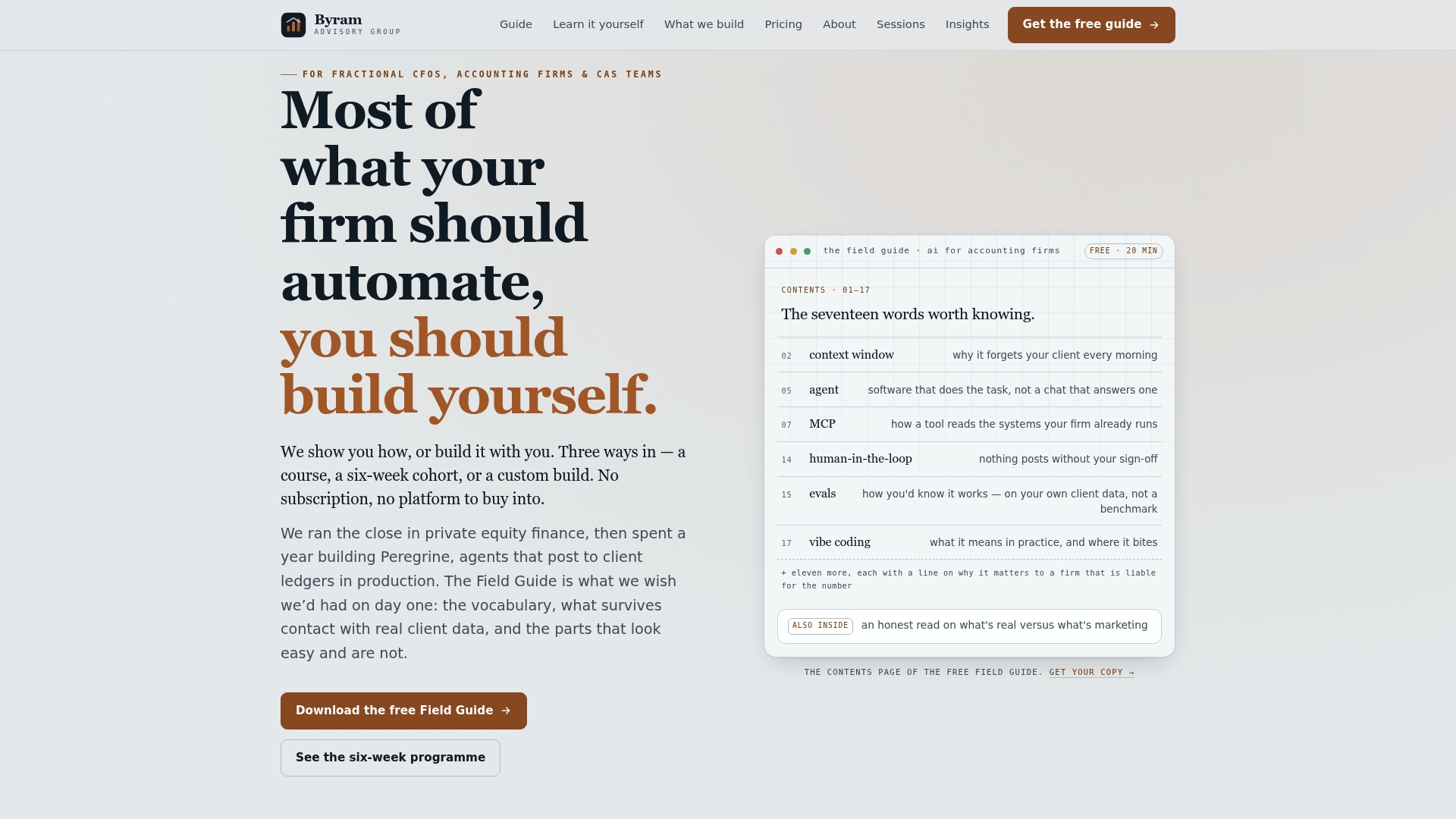
The Peregrine platform connects directly to QuickBooks and handles the repetitive reconciliation work that normally falls on a controller's Friday afternoon, while still giving you full oversight over what changed and why. If you'd rather learn the process yourself first, the free Field Guide to AI for Accounting Firms walks through exactly how firms automate this kind of workflow cleanup. And if pricing conversations are part of your project profitability problem, this pricing guide from Flock is worth a read alongside your Estimates vs. Actuals report. Download the Field Guide or request a pilot review to see what automated project reporting looks like on your own books.
Sources
For the exact click paths, consult Intuit's own setup guide for QuickBooks Projects and its Advanced project reports documentation. For implementation discipline beyond the software itself, Byram Advisory's Field Guide covers the automation side in more depth.
- Set up and use projects in QuickBooks
- Job costing in QuickBooks without buying extra software - Accounting Fresh
FAQ
How Do You Calculate Project Profitability?
Subtract total direct costs (materials, labor, and billable expenses) from total project income to get gross profit, then divide by income to get your margin percentage. QuickBooks automates this calculation through the Project Profitability report once item costs and transaction tagging are set up correctly.
Why Do Some CPAs Dislike QuickBooks Online?
Some accountants find QuickBooks Online's default project reports too limited for complex, multi-phase jobs and prefer building custom reports or using dedicated job-costing add-ons for that level of detail. The complaint is usually about report flexibility and reconciliation workload, not the underlying data QuickBooks captures.
Can QuickBooks Be Used for Project Management?
QuickBooks tracks the financial side of a project, income, costs, labor, and profitability, but it isn't built for task scheduling, resource assignment, or timeline management the way dedicated project management software is. Most teams pair QuickBooks for financial job costing with a separate tool for day-to-day project coordination.
Is QuickBooks Being Phased Out?
No. QuickBooks Online continues to receive regular feature updates, including expanded Projects and Estimates vs. Actuals functionality in Advanced and the Intuit Enterprise Suite. There's no indication Intuit is discontinuing the platform; recent updates point the opposite direction.
What's the Fastest Way to Fix Inaccurate Project Profitability in QuickBooks?
Start by checking three things: whether every transaction on the job carries a Customer/Project tag, whether item costs are entered in Products & Services, and which labor-cost toggle the report is using. Most inaccurate numbers trace back to one of those three gaps.