

Three approaches solve most QuickBooks-to-Sheets needs: Spreadsheet Sync for quick, native reporting; a scheduled connector or ETL tool for recurring multi-entity consolidation; and API or ODBC-based custom builds for two-way automation at scale. Small ad-hoc reporting fits Spreadsheet Sync. Recurring scheduled reports and consolidation fit a connector. Bespoke two-way sync and large-scale consolidation call for an API build or a managed platform like Byram Advisory's Peregrine.
TL;DR:
- Spreadsheet Sync suits small teams needing quick, manual report refreshes without extensive setup or automation needs.
- Scheduled connectors and ETL tools are better for consolidating data from multiple entities daily or weekly, with better automation capabilities.
- API or ODBC builds offer the highest control for two-way updates and custom validation but require significant developer resources and ongoing maintenance.
- Regular monitoring, secure OAuth setup, and backup protocols are essential regardless of the integration method used for data accuracy and security.
- Peregrine offers an out-of-the-box managed solution that automates reporting, consolidates multi-entity data, and includes built-in security and monitoring features.
Table of Contents
- Which QuickBooks Google Sheets Integration Method Fits Your Team?
- How Do You Set Up a QuickBooks to Google Sheets Sync?
- What Maintenance Does Each Sync Method Require?
- How Do You Secure a QuickBooks and Sheets Connection?
- What Should You Budget for a QuickBooks Sheets Connector?
- How Does Peregrine Solve These Integration Problems?
- Your 7-Day QuickBooks Sheets Integration Checklist
- Why Most QuickBooks Integration Advice Misses the Point
- Get a Managed QuickBooks Reporting Setup That Doesn't Need Babysitting
- Sources
Which QuickBooks Google Sheets Integration Method Fits Your Team?
Each method trades setup effort against long-term control, and picking wrong means redoing the work in six months.
Spreadsheet Sync, QuickBooks' native add-on, installs in minutes and lets you pull, customize, and refresh reports directly inside Google Sheets. It's built for finance teams that need a fast reporting layer without engineering support, though report options vary by QuickBooks tier.
A third-party connector or ETL tool adds scheduling, retry logic, and multi-company consolidation that Spreadsheet Sync doesn't handle well on its own. These tools shine when you're pulling data from five client entities into one dashboard every morning.
API, Apps Script, or ODBC-based builds give you the most control: incremental data pulls, two-way updates, and custom validation rules. They also cost the most in developer hours and ongoing maintenance.
Ask yourself these questions before choosing:
- How often does this data need to refresh: daily, hourly, or on demand?
- Do you need to write data back into QuickBooks, or just read it?
- How many entities or client companies need consolidation in one view?
- Does your team have in-house developer capacity, or will this run unmaintained?
How Do You Set Up a QuickBooks to Google Sheets Sync?
The setup path depends entirely on which method you picked above. Here's how each one actually runs.
Spreadsheet Sync setup:
- Open Google Sheets, go to Extensions → Add-ons, and install Spreadsheet Sync.
- Authenticate through OAuth using your QuickBooks Online credentials.
- Run an initial report pull on a test sheet, not your production file.
- Configure the refresh schedule (many teams start with daily).
- Validate the pull against a staging or sandbox company before pointing it at live financials, following QuickBooks' own setup guidance for multi-company reports.
Manual export/import (the fallback method):
Export a report as XLSX from QuickBooks Reports, then import it into Sheets. For shared dashboards, use IMPORTRANGE to pull that data into other files automatically. It's fast for one-off needs but breaks down the moment more than one person needs current numbers, since every refresh is a manual re-export.
API, Apps Script, or ODBC builds:
Set up OAuth 2.0 authentication first. Decide whether you need full data pulls or incremental syncs (incremental is lighter on API limits and faster to run). Build in pagination and rate-limit handling, since QuickBooks' API throttles requests. The sturdiest architecture separates a staging sheet (raw pulled data) from a production sheet (cleaned, formula-driven output), with middleware or a connector like the CData QuickBooks Online driver sitting between them for retries and stability.
Testing checklist for any method:
- Compare pulled totals against the equivalent QuickBooks report, line by line.
- Reconcile at least one full sample period before trusting the feed.
- Snapshot a backup of your sheet before every scheduled run goes live.
Pro Tip: Run your first two weeks of any new sync in parallel with your existing manual process. Catching a mapping error before month-end close is a lot cheaper than explaining it to a client after.
What Maintenance Does Each Sync Method Require?
The sync method you choose determines how much babysitting it needs six months from now, not just how it works on day one.
Scheduling cadence matters more than most teams expect. Hourly syncs eat into API rate limits fast, especially across multiple connected companies. Daily refreshes are the sane default for most reporting use cases; reserve hourly for cash-flow dashboards that genuinely need it.
Two-way sync is where complexity multiplies. Writing data back into QuickBooks means handling conflicts (what happens when the same field changes in both places), idempotency (making sure a retried request doesn't double-post a transaction), and validation rules that catch bad entries before they hit the ledger.
Multi-entity consolidation works fine in Sheets for a handful of companies, using one tab per entity feeding a summary tab. Beyond roughly ten entities, most finance teams find Sheets starts to strain, and a proper data warehouse becomes the more reliable landing zone.
Monitoring isn't optional once a sync is production-critical. Build in sanity checks (flag a report if total revenue swings more than a set percentage overnight), email alerts on failed refreshes, and automated backups before each scheduled pull.
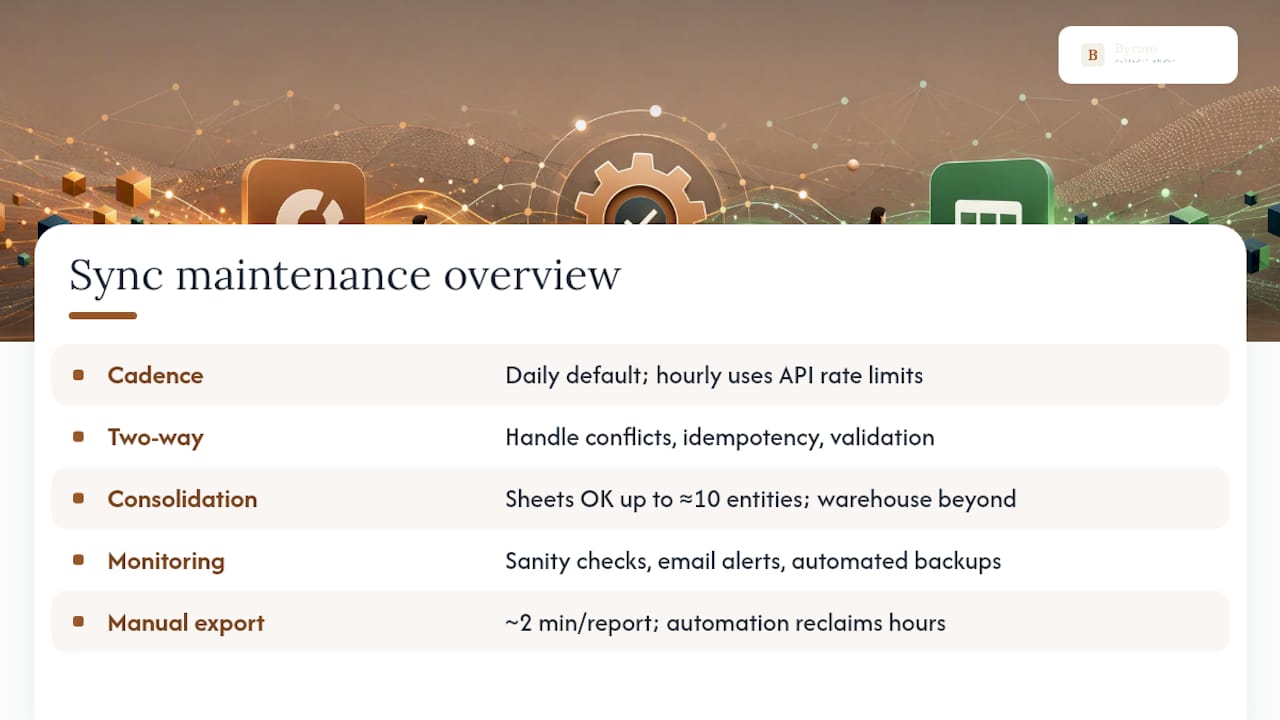
Manual export/import might take two minutes per report, but that adds up across dozens of monthly pulls for firms managing multiple clients, where automated pipelines reclaim hours every month.
How Do You Secure a QuickBooks and Sheets Connection?
Financial data moving between systems is exactly the kind of thing that shouldn't rely on shared logins and copied passwords.
Use OAuth 2.0 for every connection, and never share raw QuickBooks credentials across a team, since that erases any audit trail of who accessed what. Restrict scopes to report-only access wherever the integration doesn't genuinely need write permissions. Where possible, run the connection through a service account or dedicated connector account with least-privilege access and built-in usage logging rather than someone's personal login.
Tokens need rotation policies, and long-lived credentials should never sit unencrypted in a spreadsheet cell or script property. Keep an audit trail of every sync run, and set clear backup and retention policies for financial data, since regulators and auditors will eventually ask how that data moved.
What Should You Budget for a QuickBooks Sheets Connector?
Before committing to a method, run it against this checklist:
- Does it support two-way sync, or read-only reporting?
- Can it consolidate multiple entities without manual sheet-stitching?
- What SLA or uptime commitment backs the connection?
- Does it use OAuth, and does it log access for audit purposes?
- Is there a backup and rollback plan if a sync corrupts data?
- What onboarding support exists if something breaks at 4:45pm on close day?
Pricing shapes vary widely: per-company SaaS fees, per-connector licensing, or developer hours for a custom build (often the most expensive path once you count maintenance). Watch for red flags: undocumented API rate limits, no retry or backoff logic, missing audit logs, or vague answers about who actually owns the synced data.
How Does Peregrine Solve These Integration Problems?
Byram Advisory built Peregrine specifically to remove the maintenance burden described above. It connects to QuickBooks, automates the repetitive reporting and reconciliation tasks that eat up close season, and enforces data integrity checks so numbers don't silently drift between systems.
- Handles multi-entity consolidation without the sheet-sprawl problem
- Applies the OAuth and least-privilege access patterns outlined in the security section
- Includes monitoring and alerting so a failed sync doesn't go unnoticed until month-end
- Backed by the free Field Guide for teams that want the framework before they buy anything
Firms that need the control of an API build without hiring for it typically land here instead. If you'd rather build it yourself, the DIY course walks through the same patterns hands-on.
Your 7-Day QuickBooks Sheets Integration Checklist
Before day one, confirm access permissions, back up your existing sheets, and identify a sandbox or test company. Then move fast:
Day 1: run a test pull. Day 2: reconcile it against QuickBooks reports. Day 3: set the refresh schedule. Day 4: monitor the first automated runs closely. Day 5: add failure alerts. Day 6: document the setup for whoever inherits it. Day 7: hand it off with a written runbook.
Byram Advisory's Field Guide covers this same rollout in more depth if you want a template rather than a blank page.
Why Most QuickBooks Integration Advice Misses the Point
Most guides on this topic obsess over which add-on has the prettiest interface. That's the wrong question. The real cost of a QuickBooks-Sheets integration shows up eight months later, when the person who set it up leaves and nobody knows why the cash-flow tab stopped updating.
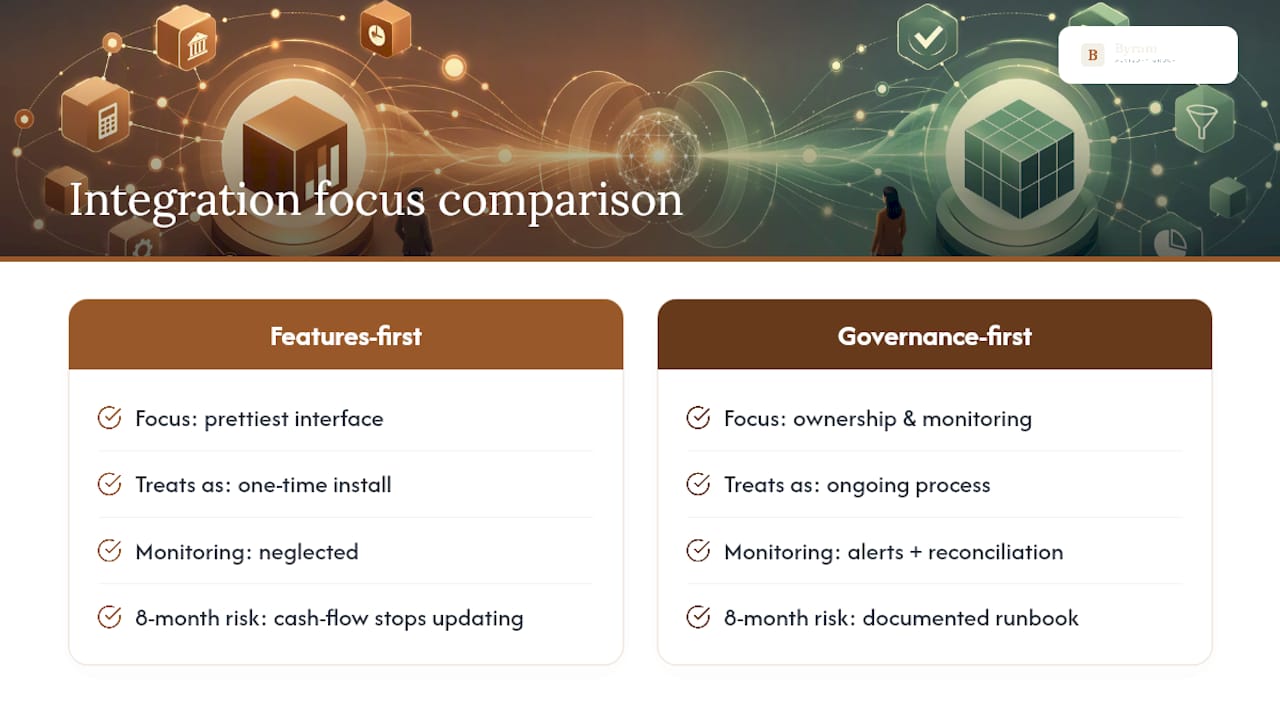
Conventional advice treats integration as a one-time install. It isn't. Every sync method here, from Spreadsheet Sync to a custom API build, needs monitoring, reconciliation habits, and documentation, or it quietly rots. The teams that get burned aren't the ones who picked the "wrong" tool. They're the ones who picked a tool and never revisited it.
If you take one thing from this: prioritize governance over features. Ask who owns the sync when it breaks, not just what reports it can pull. A modest connector with clear alerts and a documented runbook beats an elaborate API build nobody understands six months in. That's the gap a managed platform closes, and it's worth weighing before you write a single line of Apps Script.
— Owen
Get a Managed QuickBooks Reporting Setup That Doesn't Need Babysitting
Every method above works, but they all share one weak point: someone has to maintain them. Byram Advisory built Peregrine so fractional CFOs and accounting firms get the reporting automation and multi-entity consolidation described in this guide without owning the maintenance themselves.
That's the practical difference for a firm reading this article: instead of assembling OAuth flows, retry logic, and alert systems from scratch, Peregrine ships those controls built in, with data integrity checks and real-time cash-flow visibility already configured for QuickBooks. If your team prefers to build it internally, the DIY course teaches the same patterns for $500. Either way, start with the free Field Guide to see which path fits your firm, or visit Byram Advisory to request a walkthrough of Peregrine on your own QuickBooks data.
Sources
- Use Spreadsheet Sync with Google Sheets
- Get started with Spreadsheet Sync (QuickBooks)
- CData QuickBooks Online connector for Power BI